
This feature is only available in the Pro version of Independent Analytics.
You may see more total clicks show up in the table as compared to the Quick Stats, like in the example below:
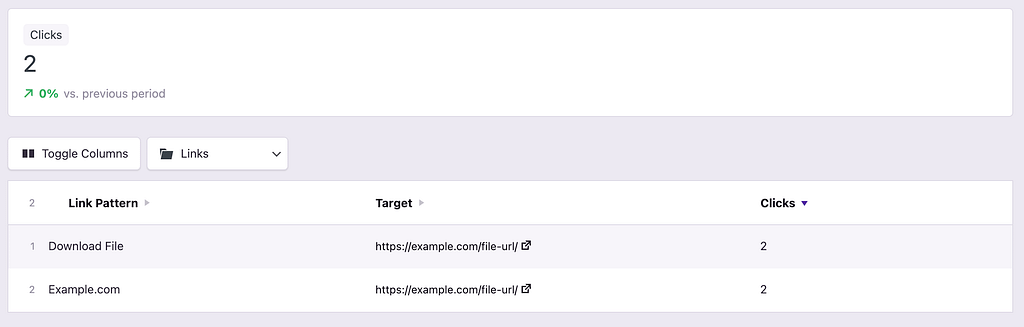
This is not an error in the calculations. It is due to a difference in context between the Quick Stats and the table.
In the Quick Stats, you are seeing the total number of clicks. In the table, you are seeing the number of clicks per link pattern. You can end up with more total clicks in the table when one click matches multiple link patterns.
For instance, the link patterns below track clicks on links that lead to example.com or have the class download-file.
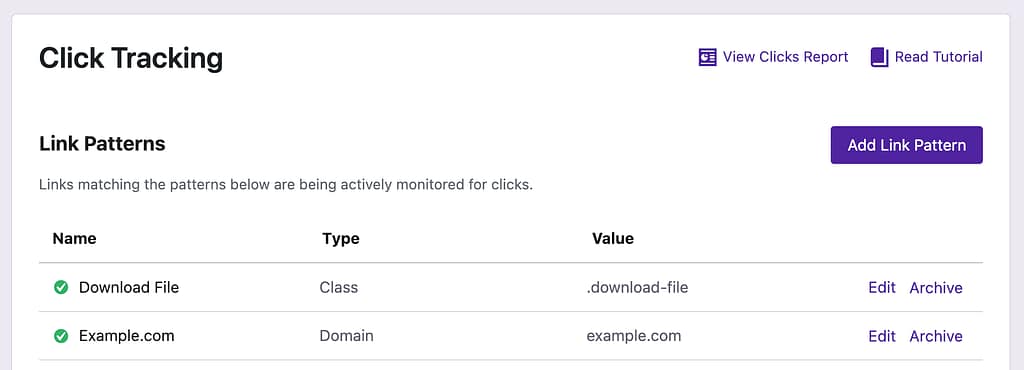
In this example, there is a link with the download-file class that also points to example.com. This link has been clicked twice by visitors, so you see two total clicks in the Quick Stats, and two clicks for each link pattern in the table.
