Don't run your site in the dark

It's tough to optimize your site without a clear understanding of how visitors are using it.

Here's How User Journeys Help You Optimize Your Site

User journeys
Browse Every User Journey

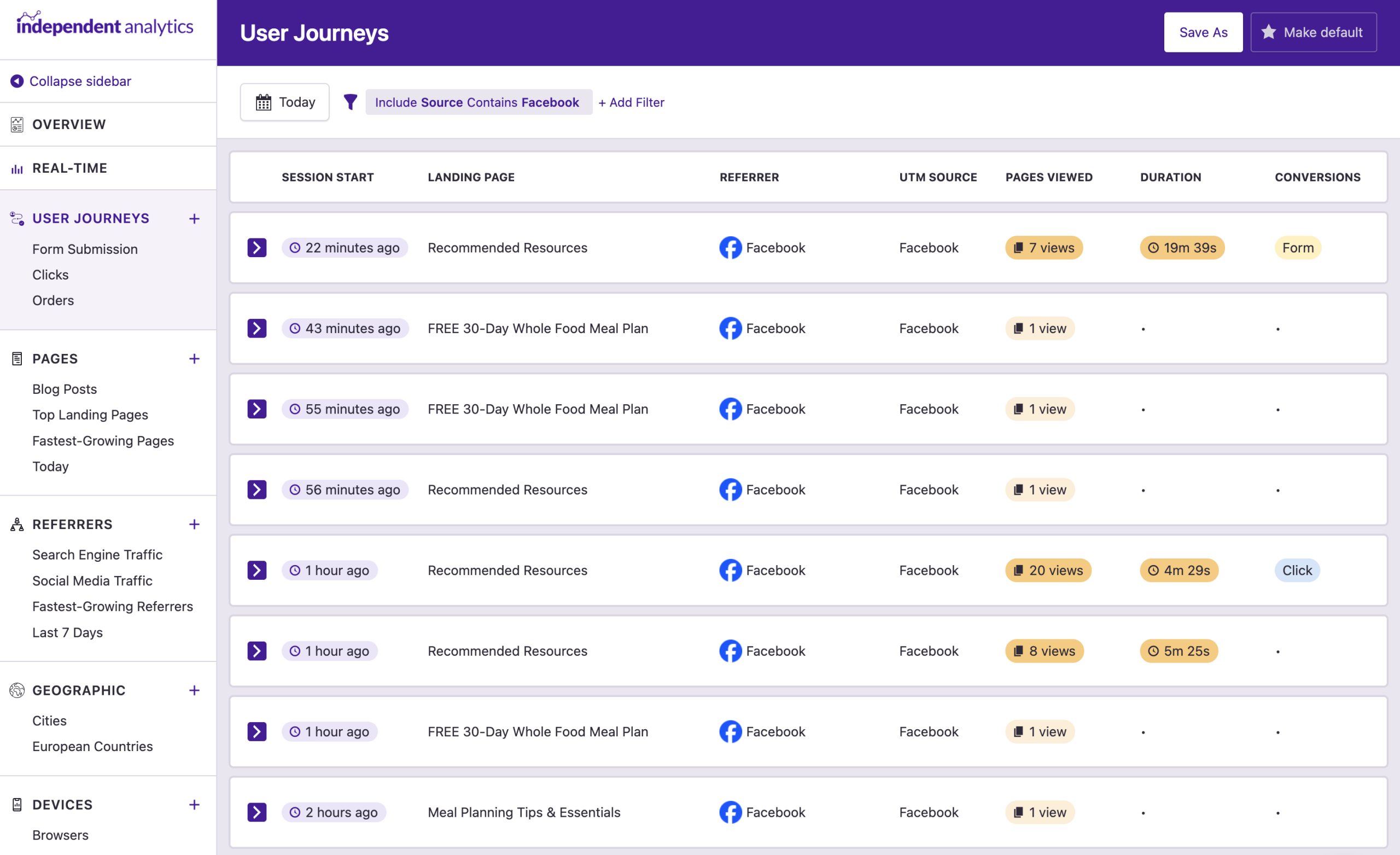
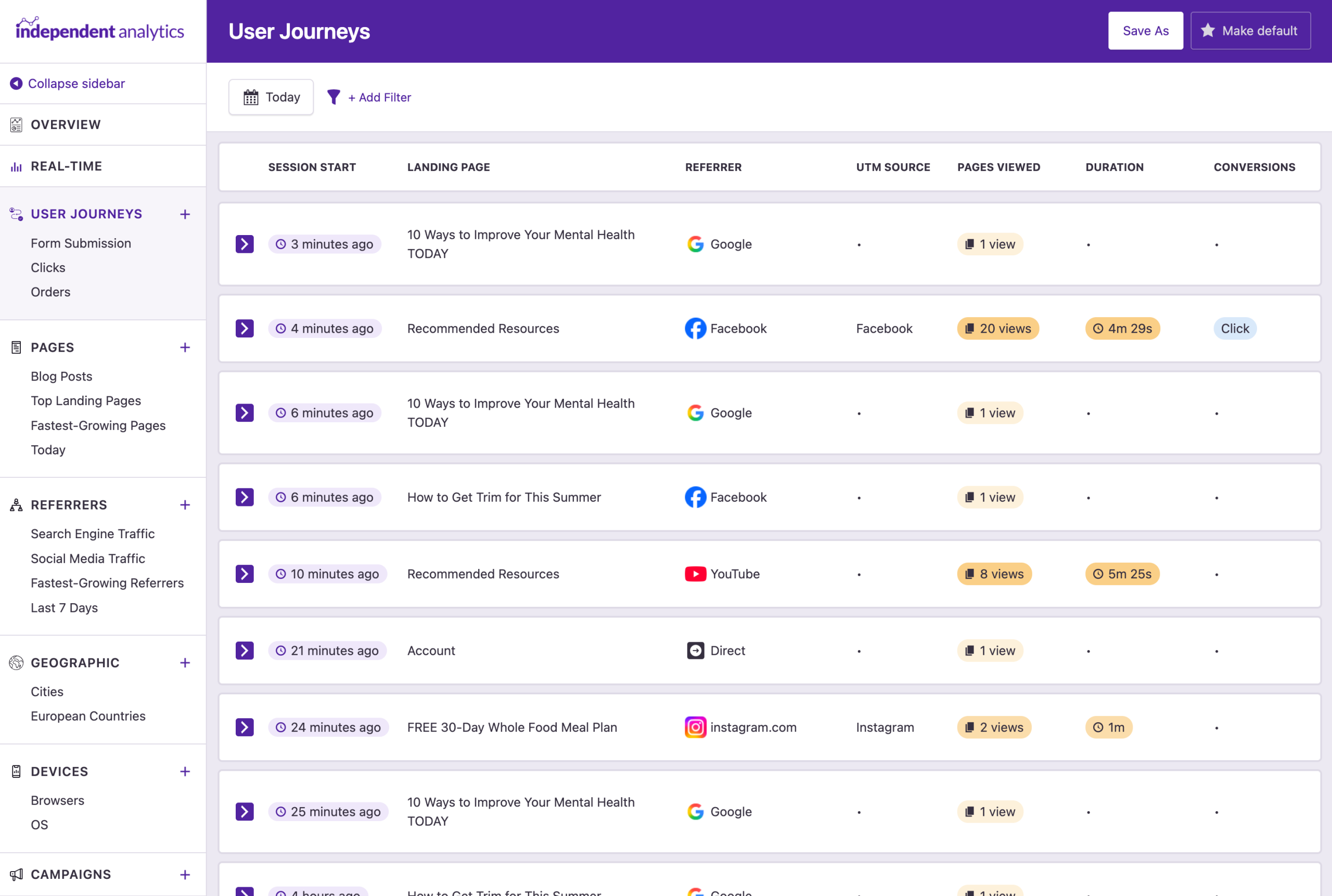
The User Journeys report includes a list of every recorded session from your stats. Important data, like the number of pages viewed, duration, and conversion events, is brought to the surface so you can easily find sessions worth analyzing further.

Find highly engaged sessions at a glance
The pages viewed and duration values use a color gradient, so you can quickly distinguish visitors who engaged more with your website.
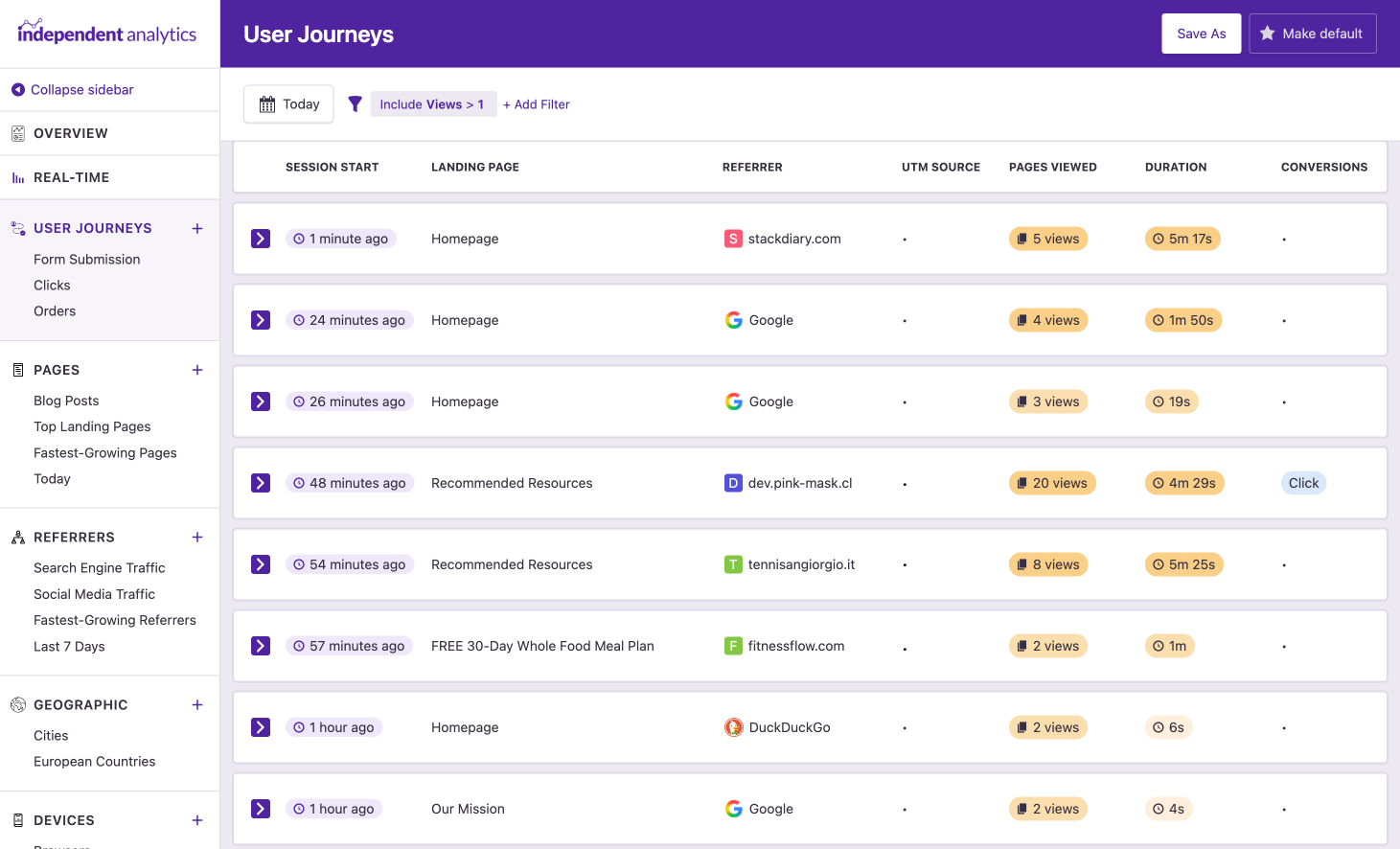
User Journeys report filtered by sessions with multiple views
Session timelines
Find a Complete Timeline for Every Session

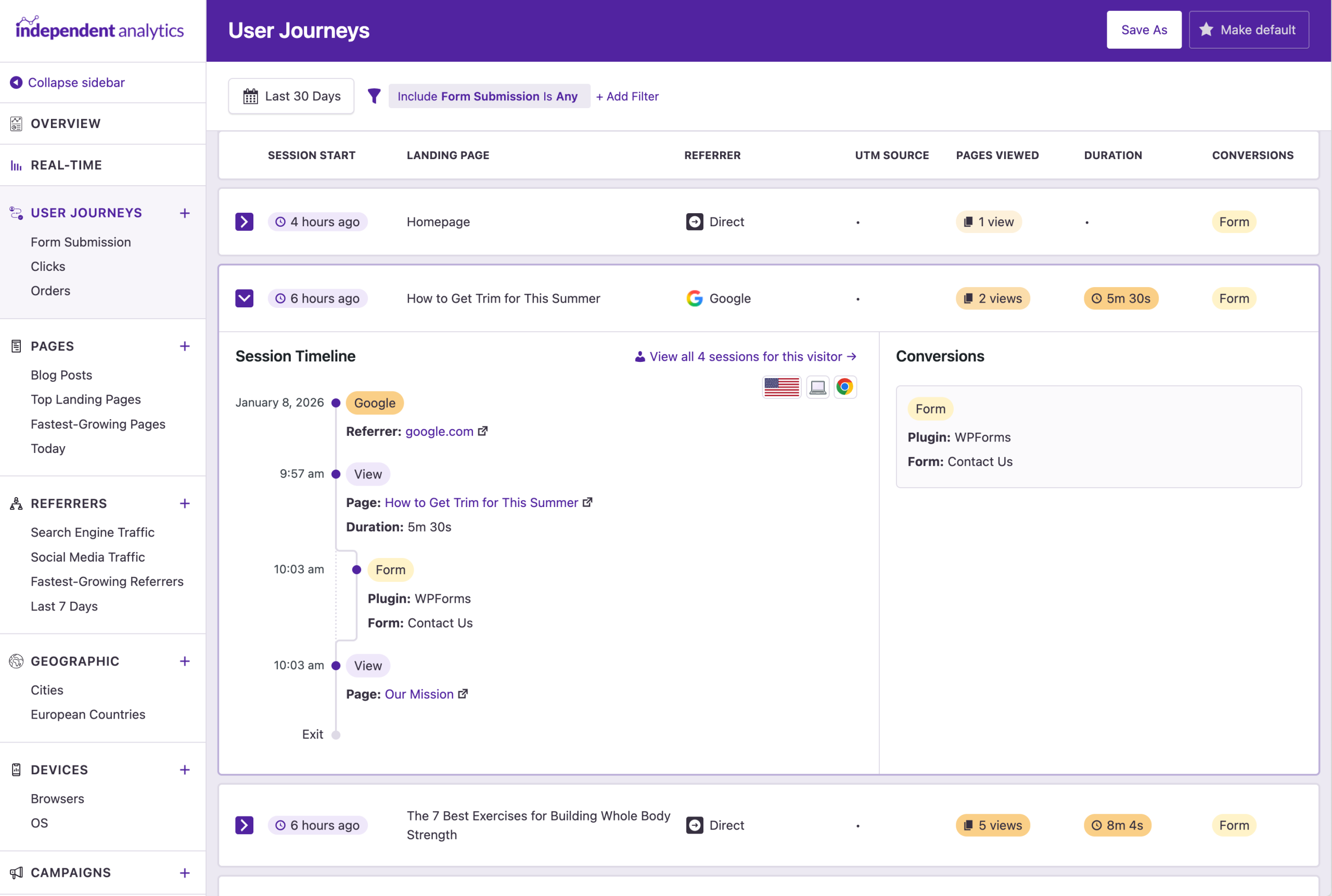
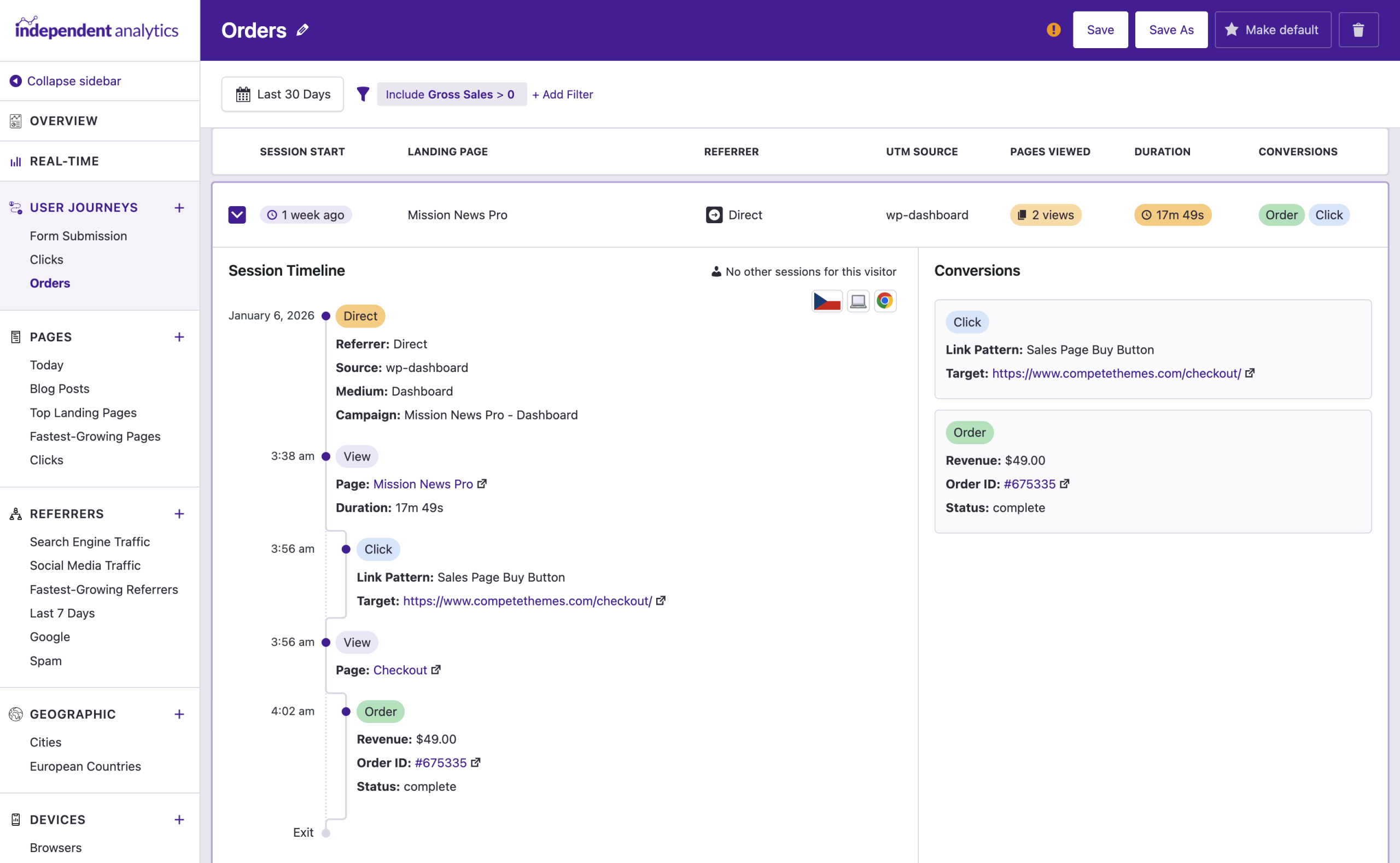
Click on any session you want to analyze, and it will expand to reveal a timeline of the complete journey. See exactly which pages they viewed and how long they spent on each one.

Find out why people buy
Conversion events, like form submissions and eCommerce orders, show up in the timeline too. This gives greater context to the event, so you can understand what lead to the conversion.
User Journeys timeline
Individual analysis
Explore Every Session for an Individual Visitor

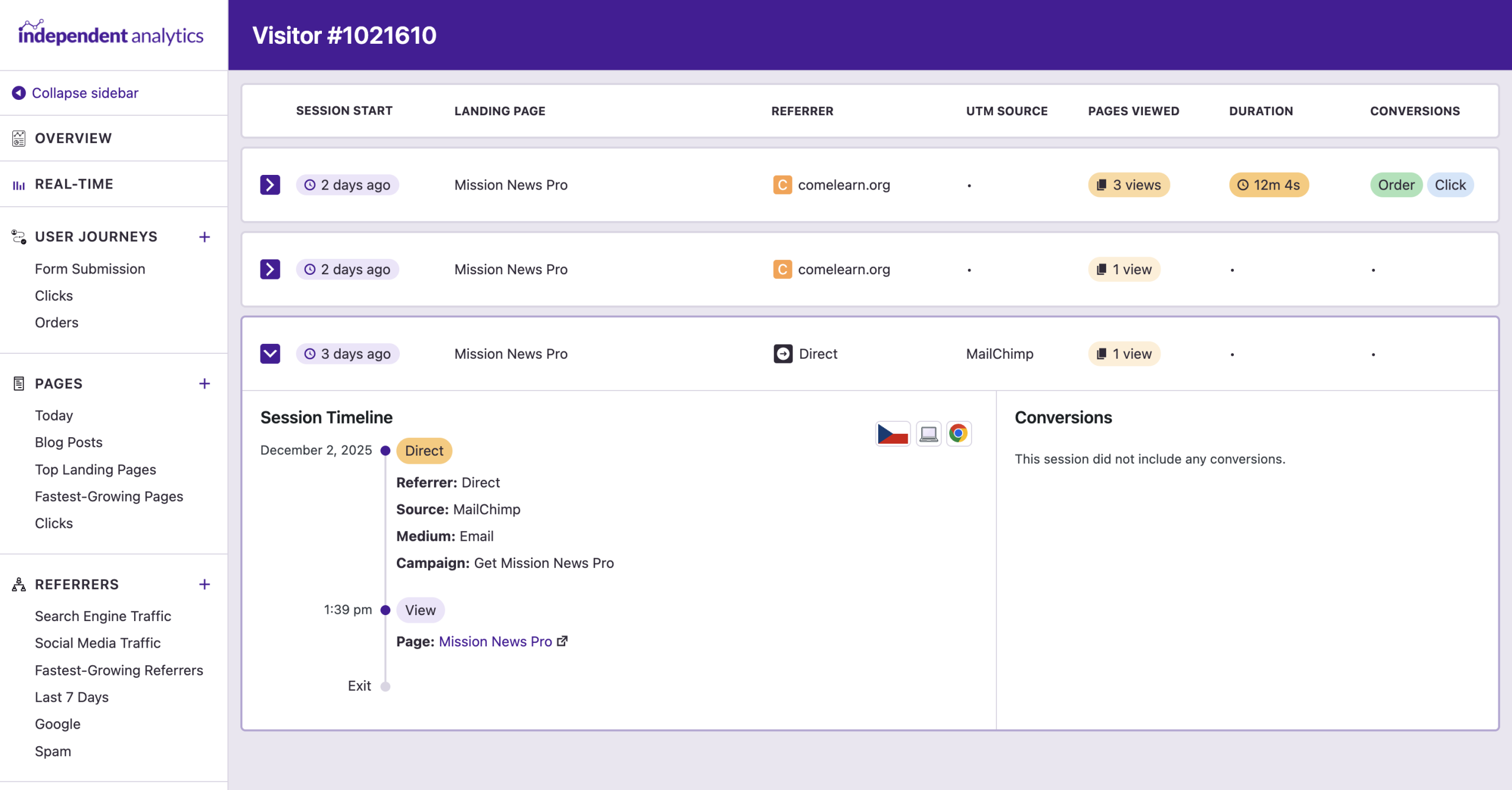
The timeline includes a link to the visitor’s own page, which includes all of their recorded journeys. This gives you a full picture of the visitor’s experience, and makes it easier to see what actions lead to a sale, form submission, or valuable click.

Fully anonymized data
The data recorded by Independent Analytics Pro is fully anonymized, so visitors are unlikely to be recognized over long periods of time. It is not possible to look up an individual via personal data, like their name, email, or IP address to find their sessions.
User Journeys individual visitor page
Conversion analysis
Explore Sessions with Valuable Conversions

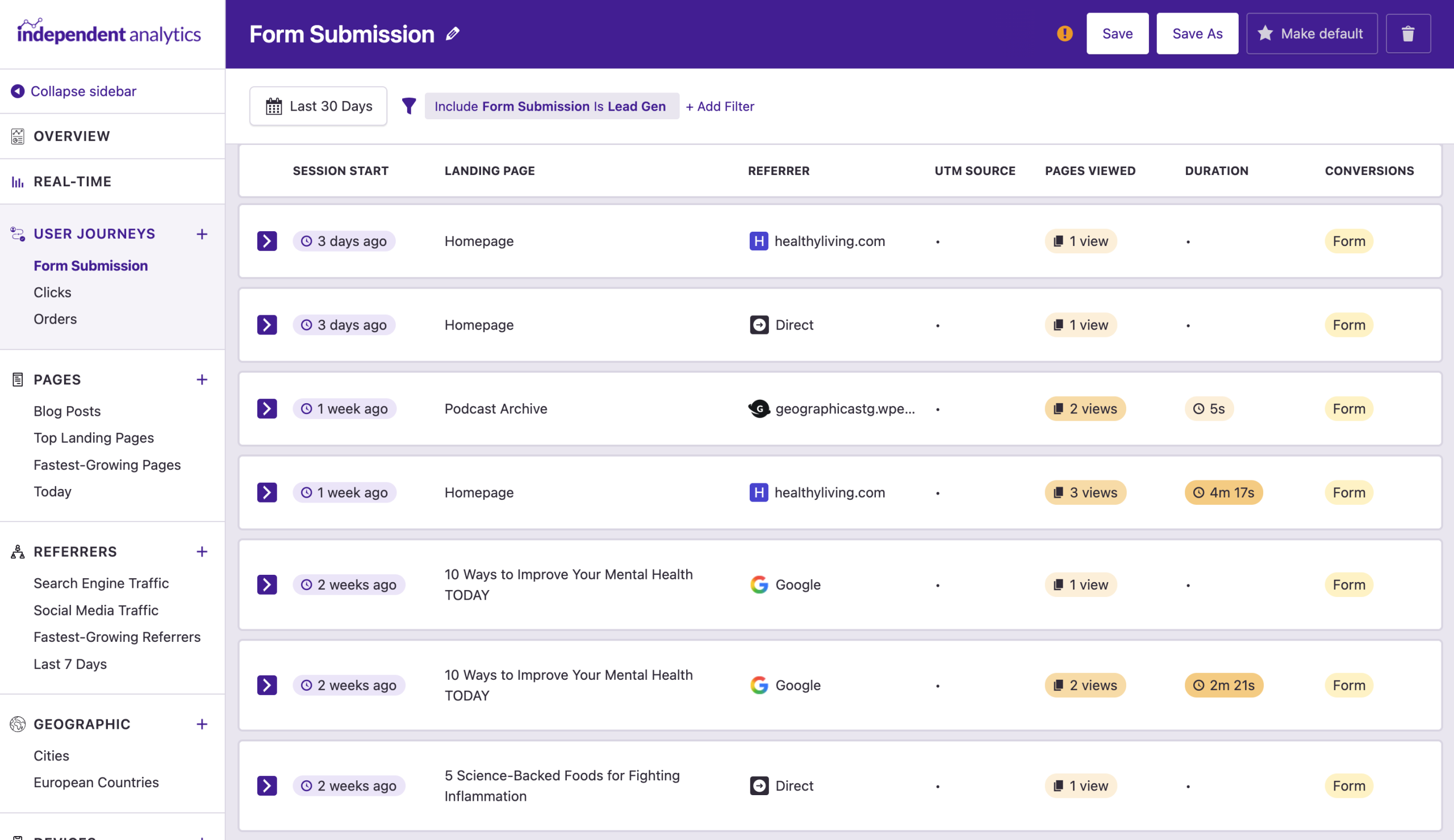
Filter the sessions by those with a form submission, click, or eCommerce order. This lets you uncover the most valuable sessions on your site, so you can analyze them and learn what the typical conversion journey looks like.

Advanced conversion filtering
In addition to finding all sessions with any form submission, you can also filter by a specific form. Likewise, you can find sessions with any clicks recorded, or clicks for one particular link pattern.
User Journeys form submissions
Flexible filtering
Filter by UTM parameters

Filter the sessions by any of the five UTM parameters to analyze your marketing campaigns. This makes it easy to review the performance of a particular campaign, medium, or source.

Filter by any column
In addition to conversion events and UTM parameters, you can also filter by the landing page, referrer, browser, device, country, and more!
User Journeys filtered by UTM source
eCommerce orders
Analyze Your eCommerce Orders

Easily find sessions with orders and click on them to view the timeline. You’ll see the revenue earned and a link to the order page provided by your eCommerce plugin.

User Journeys eCommerce sale
Date ranges
Analyze Sessions from Any Time Period

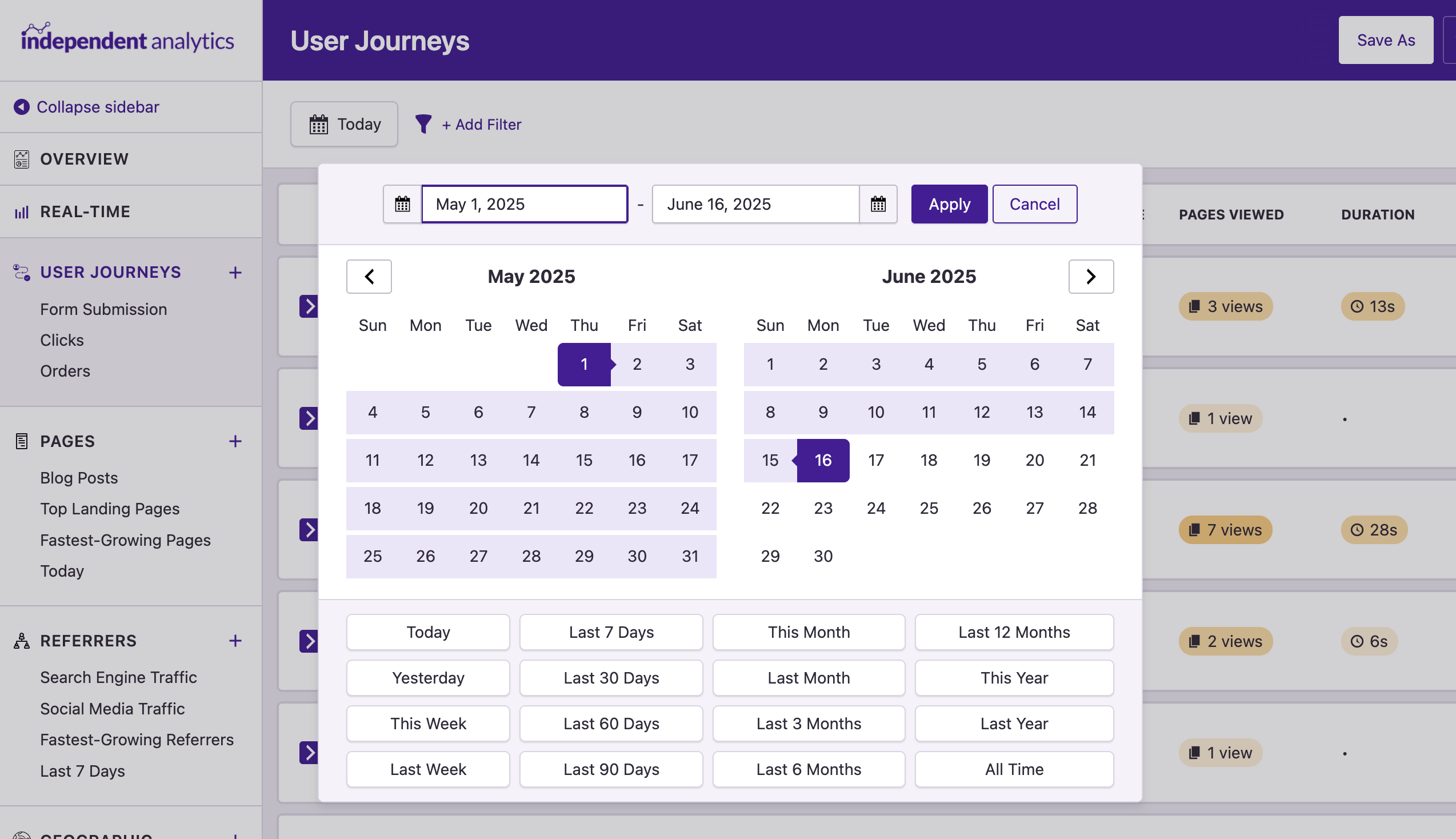
The User Journeys report shows you the most recent sessions by default, but you can explore all of your recorded sessions. Want to see sessions from May of last year? No problem! You can do that in a few clicks.

User Journeys date range

We know how hard it is to optimize a website

Building and running a website is no simple task, but understanding the way people use it can be even harder. That's why we built a feature that makes it possible to see exactly what visitors are doing, and we use this data to improve our own website too.

View Pricing
Rated 4.8 stars from over 130+ reviews
Trusted by over 100,000+ websites
Tested on WordPress 6.9

Here's What Our Customers are Saying

Loved by agencies and solopreneurs alike

“At Webdev.com, we utilize Independent Analytics for our websites, and we can't recommend it enough. This tool is incredibly useful and serves as an excellent alternative to Google Analytics, making it easier for our customers to access the insights they need. Highly recommended. A++”

Michael Fied

“I have a website and blog for my freelance editing business, and Independent Analytics is so much better for what I need than Google Analytics. It's easier and faster to find the data I want to see, and the aesthetics are miles better.”

Clara Carlson-Kirigin

Get Started

Follow these three easy steps
1
Choose a plan
Choose a plan based on the number of websites you need to install Independent Analytics Pro on.
2
Install on your site(s)
Independent Analytics Pro can be installed in seconds like any other WordPress plugin.
3
See what your visitors are up to
Dive into the User Journeys report and start exploring recent sessions.

Frequently Asked Questions

  • Toggle FAQ
    What impact does this have on privacy and personal data?

    The data recorded by Independent Analytics is fully anonymized, and that hasn’t changed with the introduction of the User Journeys feature.

    When viewing an individual visitor’s journey, you may be able to use the timestamps to manually cross-reference it with personal data collected via an eCommerce transaction or form submission. It’s important that whenever a visitor submits personal data to your website, such as through a form, they agree to a privacy policy that explains that their data could be manually cross-referenced in this way. This can be done by adding a required checkbox to every form on your site that confirms the visitor has agreed to your privacy policy before submission. Manual cross-referencing is virtually impossible to avoid when using analytics and also collecting personal data through forms, so it is a good practice to inform your visitors of this possibility in your privacy policy before any personal data is collected.

  • Toggle FAQ
    How long are the same visitors recognized?

    It depends. If a visitor changes their browser, IP address, or device, they won’t be recognized as the same visitor when they return. This means some visitors won’t be recognized for more than one session, while others could be recognized for months.

    If it is important to limit how long a visitor can be recognized due to your regional privacy laws, you can set the salt token to refresh daily, weekly, or monthly. This sets a hard limit on how long the same visitor can be recognized.

  • Toggle FAQ
    Why do some durations not have a value?

    This occurs when a session only has one view. Independent Analytics calculates session duration by finding the difference between recorded views. For instance, if someone views your Homepage at 11:00 and your About page at 11:05, then the duration would be set to 5 minutes. If they only view one page, IA is unable to calculate how long they stayed on that one page.

  • Toggle FAQ
    Are user journeys available for every visitor?

    Yes, all of the data recorded by Independent Analytics Pro is available in the User Journeys report, including sessions recorded while running the free version. You can analyze sessions from the moment you started tracking data.

  • Toggle FAQ
    Does this impact performance?

    Nope! The User Journeys report does not have any additional performance impact. It only adds a new interface for viewing data that is already being recorded.

Still have questions?

If you have any questions, you can click here to get instant answers from our AI Assistant, or email us directly via support@independentwp.com to reach a real person.

Learn How to Analyze User Journeys

Learn how to navigate the User Journeys report so you can gain deeper insights about your visitors.
Watch video tutorial
It's Time to Know Exactly What Your Visitors Are Doing
Get the User Journeys report and gain the insights you need to grow
Click here to buy now

*You're fully covered by our 30-day money-back guarantee

Explore These Awesome Pro Features Next

Campaigns
Create and track custom campaign URLs.
Learn more
eCommerce Analytics
Track where your sales are coming from.
Learn more
Real-time Analytics
See how many people are on your site right now.
Learn more
Click Tracking
Track clicks on any link on your website.
Learn more
Solo Reports
View reports for individual pages and traffic sources.
Learn more
Overview Report
View data from all your reports in one place.
Learn more
Form Tracking
See where your form submissions are coming from.
Learn more
It's Time to Know Exactly What Your Visitors Are Doing
Get the User Journeys report and gain the insights you need to grow
Click here to buy now

*You're fully covered by our 30-day money-back guarantee