
Great plugin worth the upgrade!

The real-time feature is great. Worth the upgrade for sure. One of the best premium plugins I purchased this year

Something could be wrong

Running your site without a live dashboard can be stress-inducing, especially if you want real-time feedback on an important promo.

Here's How Real-time Analytics Keep You On Your A-Game

Live visitor count
Check Your Active Visitors

The Active Visitors metric shows you how many people are on your site right now. At a glance, you can quickly check if your site is busy or not.

How it works
The Active Visitors metric counts anyone who has viewed a page within the last five minutes and updates automatically every ten seconds.
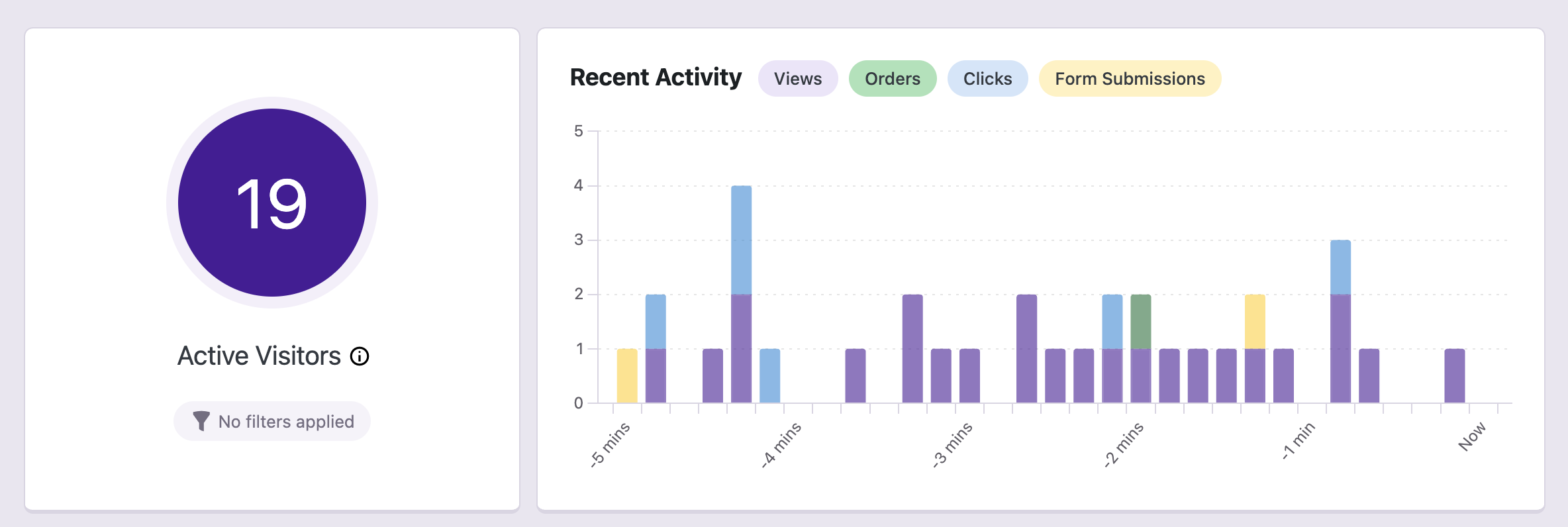
Real time active visitors count
Live data
See What Your Visitors Are Doing

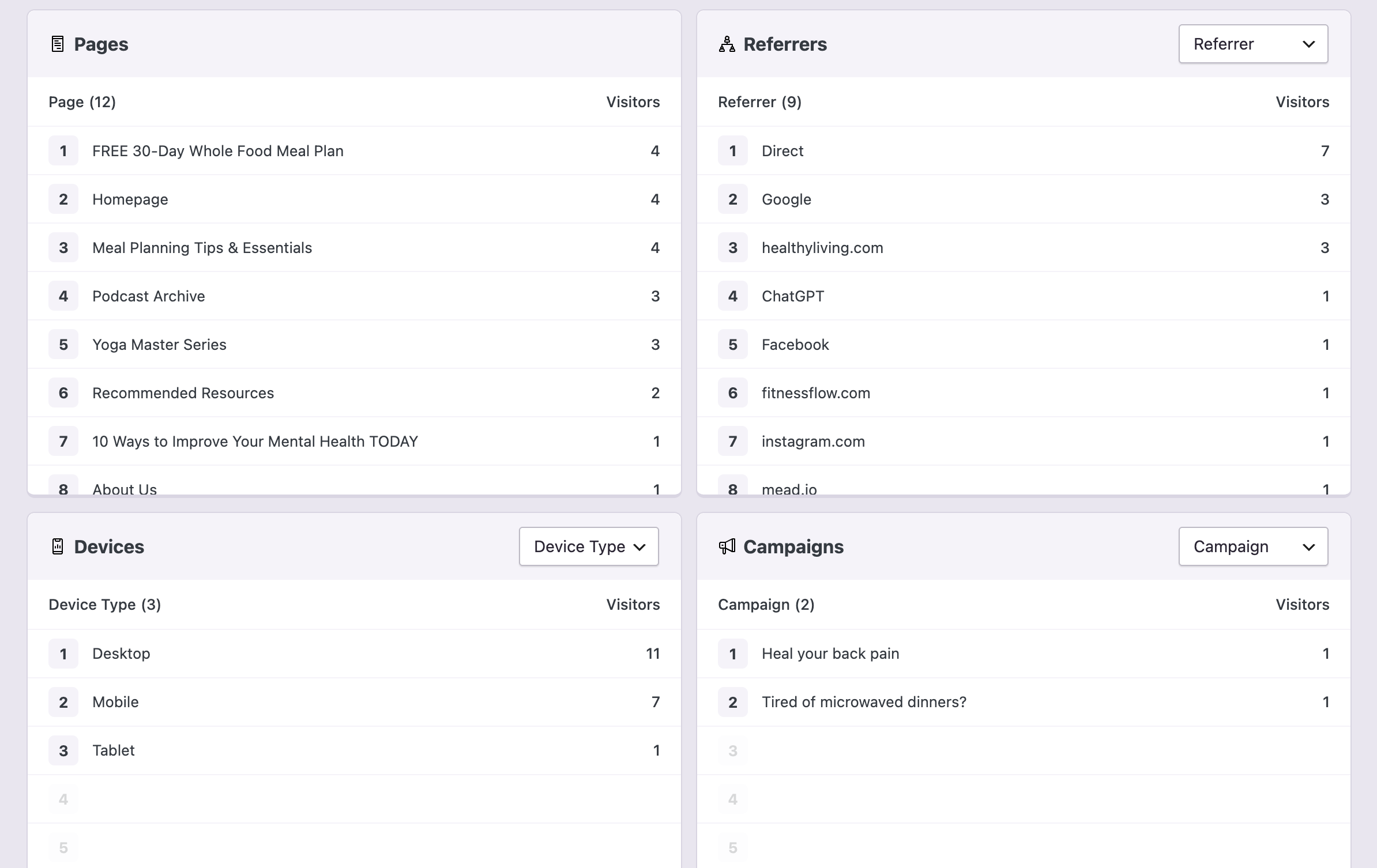
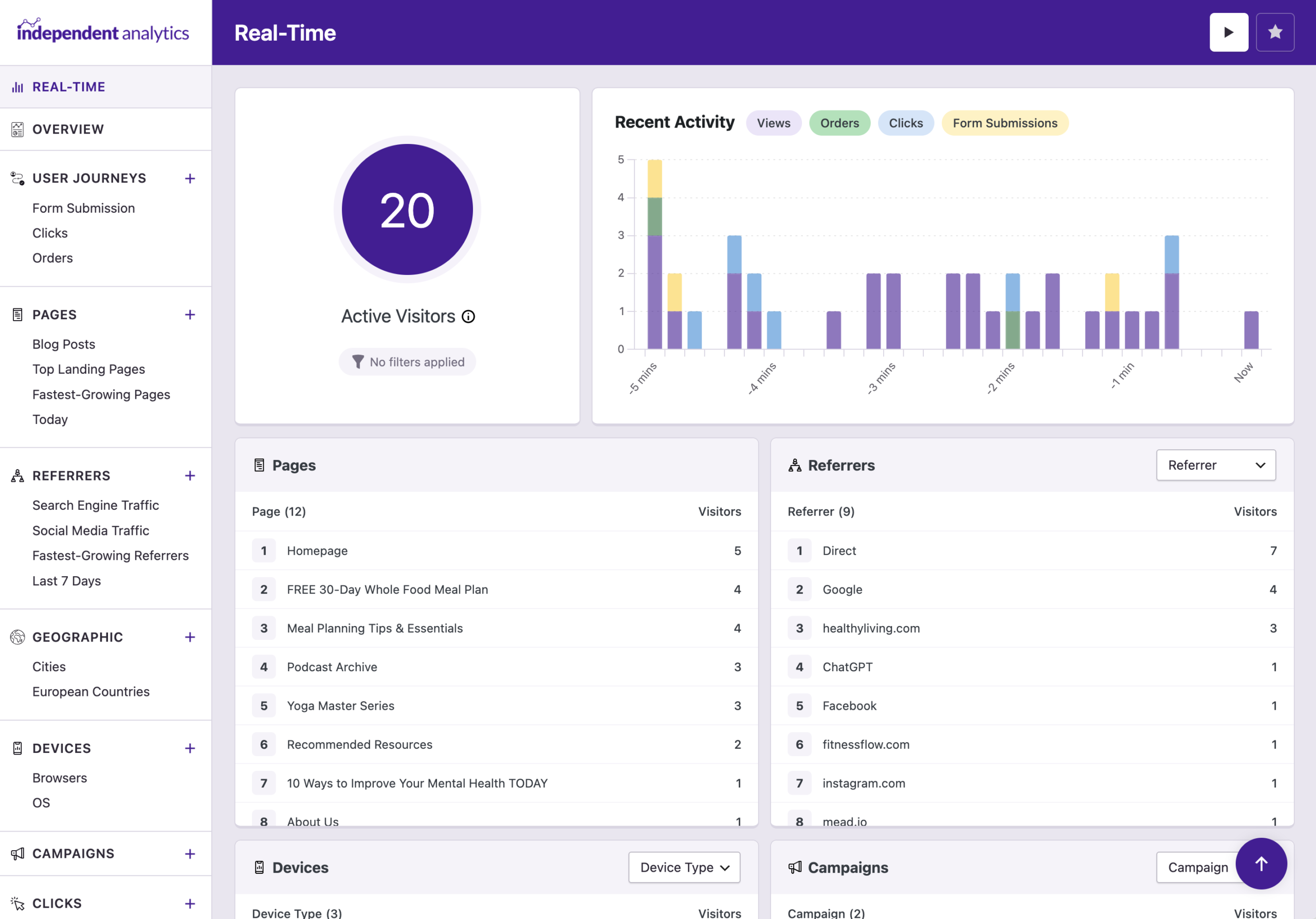
Browse the lists to see what pages your visitors are looking at, where they came from, and more.

Pages Referrers Devices Campaigns Geographic
Real time popular lists
Grouping
Change the Grouping of Any List

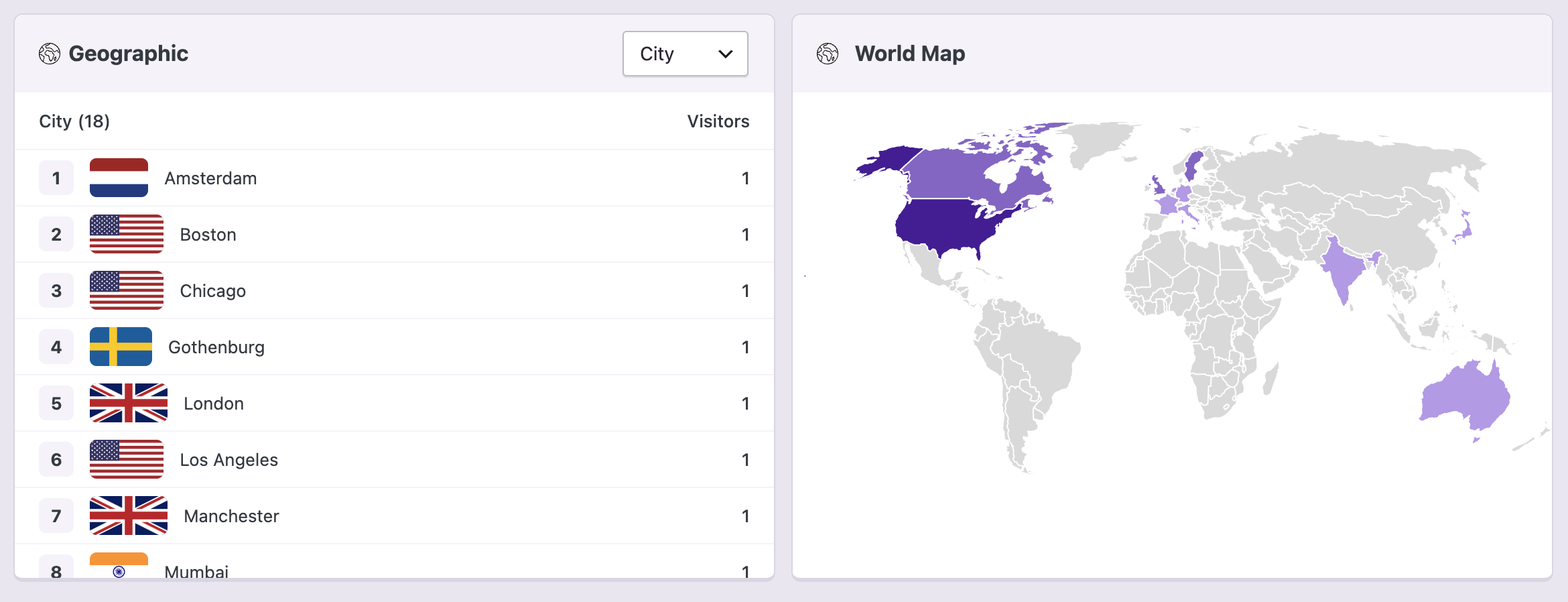
Want to see cities instead of countries in the Geographic list? Use the drop-down option at the top to quickly make this change.

Referrers Referrer Types Devices Browsers OS UTM Campaigns UTM Mediums UTM Sources Countries Cities
Real time city grouping
Live filters
Dig Deeper with Live Filtering

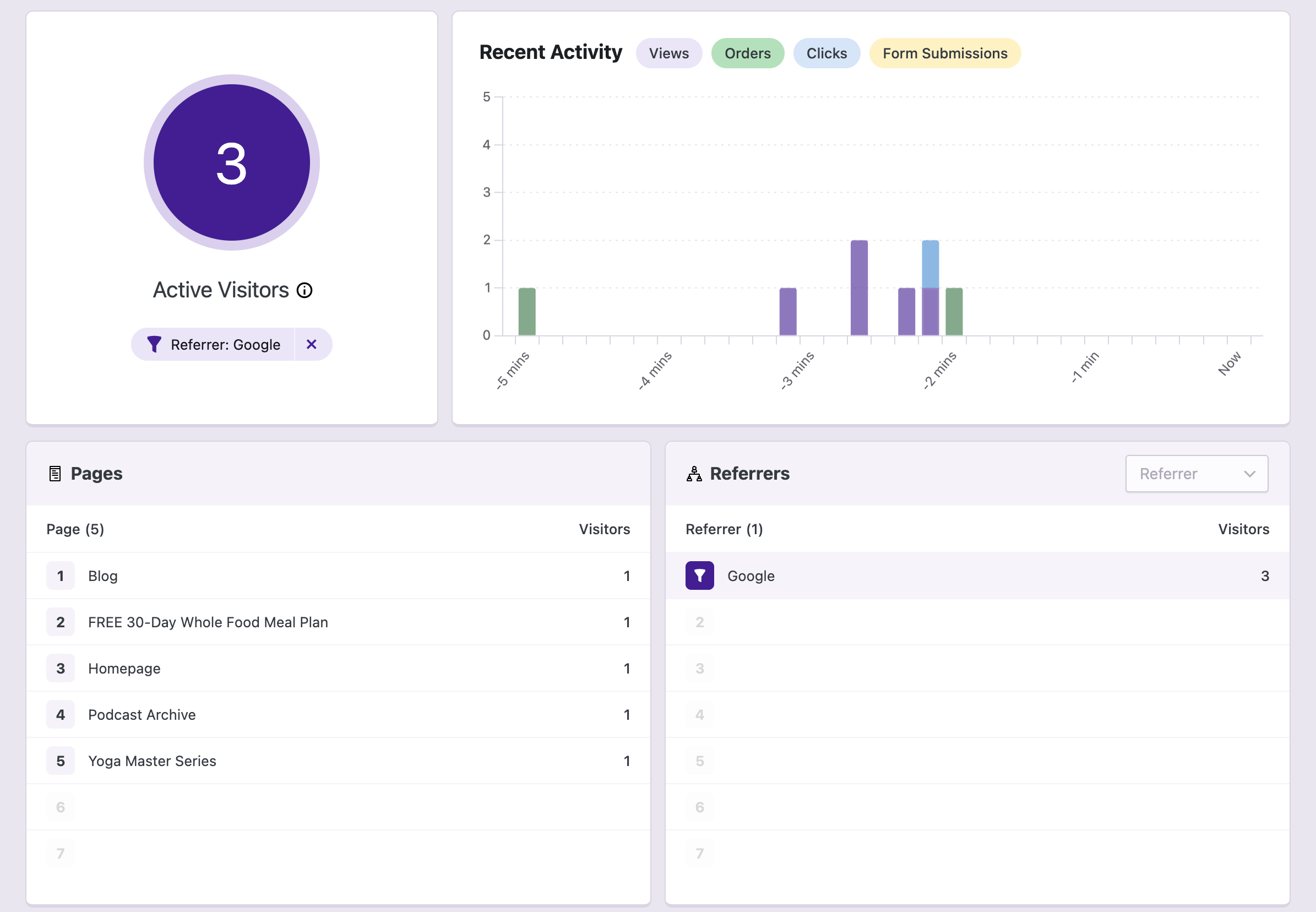
Click on any list item to apply a filter. For instance, you can filter by a referrer to see which pages those visitors are looking at, the devices they’re using, and more.

Filter with flexibility
You can click on any list item in the report to apply a filter.
Real time filtered
Live chart
Analyze Your Recent Traffic with the Chart

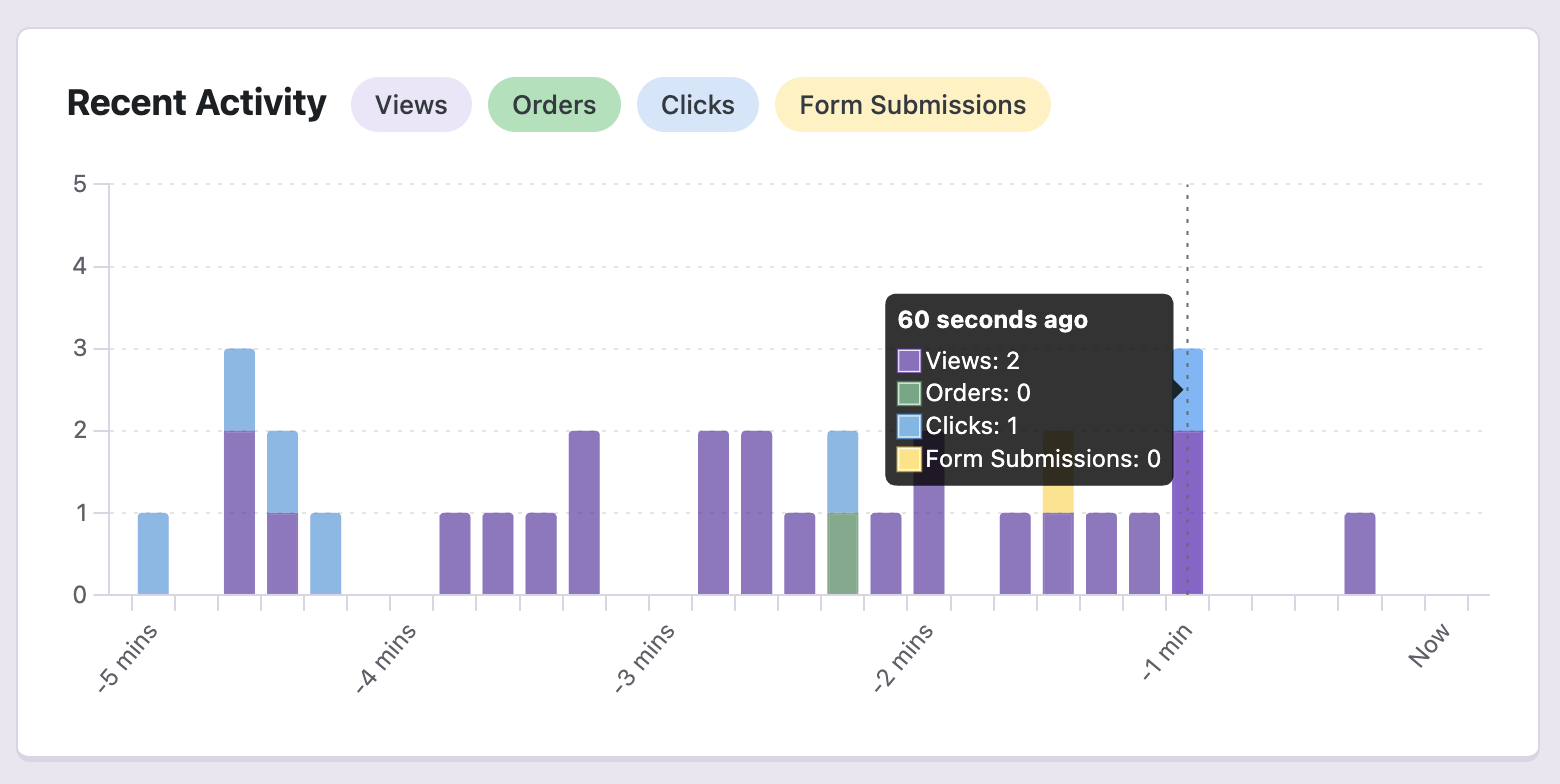
The chart shows all your recent views, clicks, form submissions, and orders. This gives you deeper insight into the actions visitors are taking on your website. Click on any label to hide its corresponding bars from the chart.

Real time chart
Pausing
Pause the Report for Further Analysis

Take your time analyzing your traffic by pausing the report. You can unpause it at any time or refresh the page to load the latest data.

Automatic refreshing
The real-time report refreshes the data every 10 seconds on its own unless paused.
Real time pause

Running a site without live data can be stressful

That's why we built a real-time dashboard where you can see everything happening on your website this very moment. We check our own real-time stats every day to make sure things are running smoothly.

View Pricing
Rated 4.8 stars from over 140+ reviews
Trusted by over 100,000+ websites
Tested on WordPress 7.0

Here's What Our Customers are Saying

Loved by agencies and solopreneurs alike

“At Webdev.com, we utilize Independent Analytics for our websites, and we can't recommend it enough. This tool is incredibly useful and serves as an excellent alternative to Google Analytics, making it easier for our customers to access the insights they need. Highly recommended. A++”

Michael Fied

“I have a website and blog for my freelance editing business, and Independent Analytics is so much better for what I need than Google Analytics. It's easier and faster to find the data I want to see, and the aesthetics are miles better.”

Clara Carlson-Kirigin

Get Started

Follow these three easy steps
1
Choose a plan
Choose a plan based on the number of websites you need to install Independent Analytics Pro on.
2
Install on your site(s)
Independent Analytics Pro can be installed in seconds like any other WordPress plugin.
3
Check your live stats
Find out how many people are on your website right now.

Frequently Asked Questions

  • Toggle FAQ
    How often does the data refresh?

    When you first visit the Real-time report, the data you see is live. The report then updates itself every ten seconds.

  • Toggle FAQ
    What's an Active Visitor?

    An Active Visitor is someone who viewed a page within the last five minutes.

  • Toggle FAQ
    Can I see real-time visitors on my WordPress site without Google Analytics?

    Yes. Independent Analytics Pro includes a real-time analytics dashboard that shows how many people are on your site right now, which pages they’re viewing, and where they came from. It runs entirely without Google Analytics.

  • Toggle FAQ
    How does real-time analytics work in Independent Analytics Pro?

    The real-time report counts anyone who has viewed a page within the last five minutes and auto-refreshes every ten seconds. It includes the pages that were viewed, the referrers visitors came from, their country, device type, and any UTM campaigns used to reach your site.

Still have questions?

If you have any questions, you can click here to get instant answers from our AI Assistant, or email us directly via support@independentwp.com to reach a real person.

Learn More About Real-Time Analytics

Learn the ins-and-outs of the real-time tracking and how to use it on your site.
View the full guide
Start Tracking Your Live Visitors Today
Get Real-time Analytics with Independent Analytics Pro
View Pricing

Pro starts at $49/year, 30-day money-back guarantee

Explore These Awesome Pro Features Next

Campaigns
Create and track custom campaign URLs.
Learn more
Click Tracking
Track clicks on any link on your website.
Learn more
eCommerce Analytics
Track where your sales are coming from.
Learn more
User Journeys
Find out how people are using your website.
Learn more
Form Tracking
See where your form submissions are coming from.
Learn more
Overview Report
View data from all your reports in one place.
Learn more
Solo Reports
View reports for individual pages and traffic sources.
Learn more
Start Tracking Your Live Visitors Today
Get Real-time Analytics with Independent Analytics Pro
View Pricing

Pro starts at $49/year, 30-day money-back guarantee