
This feature is only available in the Pro version of Independent Analytics.
Independent Analytics Pro allows you to quickly generate QR codes for any of your campaign URLs.
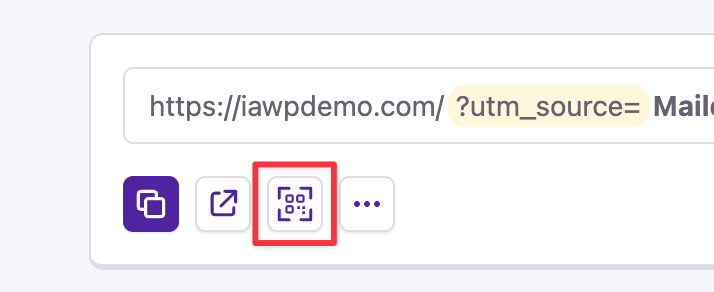
To generate a QR code, start by visiting the Analytics > Campaign Builder menu. Then, locate the campaign link you want to create a QR code for, and click the QR code button.
This will open the robust QR code customization window.
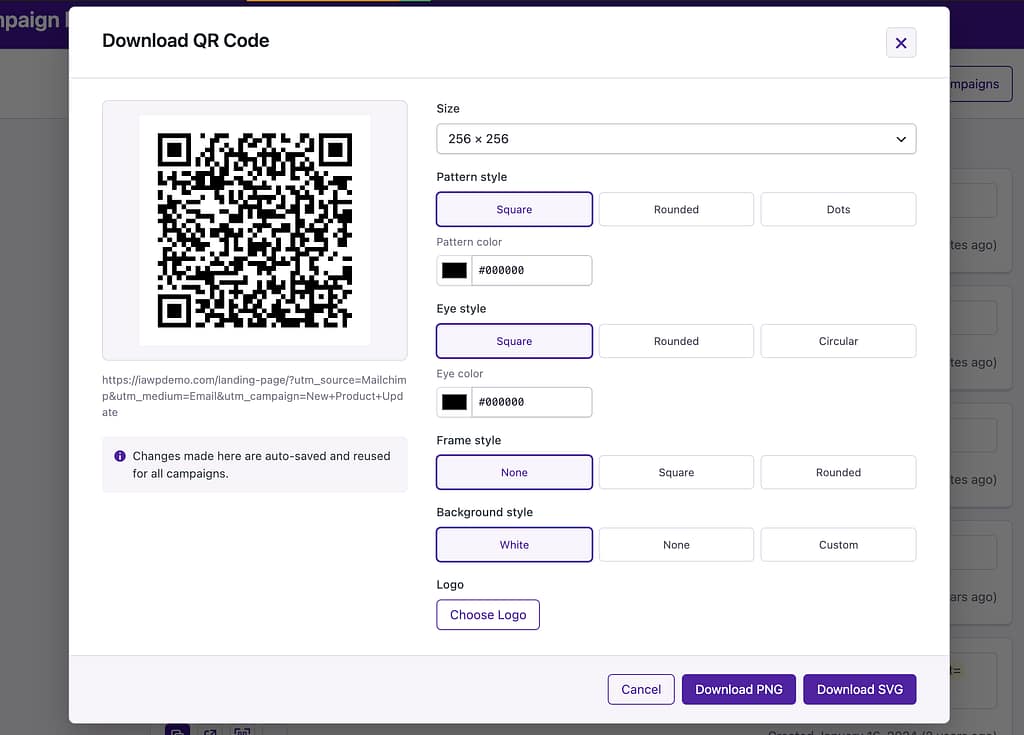
From here, you can customize every aspect of the QR code, from its colors to the border styles. You can even upload your own logo to display within the pattern.
When you’re happy with your customizations, click the Download PNG or Download SVG button to get a copy of the QR code.
You can then use it in any of your digital and print media, and when scanned, it will take you directly to the campaign URL. This allows you to track precisely how many people scanned the QR code in your Campaigns report.
Your QR code customizations are saved silently in the background, so future QR codes will automatically apply the same settings.
For help with Pro features or pre-sale questions, please reach out via our contact page.
