
Traffic from regular OpenAI links will show up in the Referrers report as ChatGPT with the AI referrer type.
If someone visits your site via a link in an OpenAI ad you paid for, that traffic will be listed separately in the Referrers report. It will show up as OpenAI Ads with a referrer type of Ad.
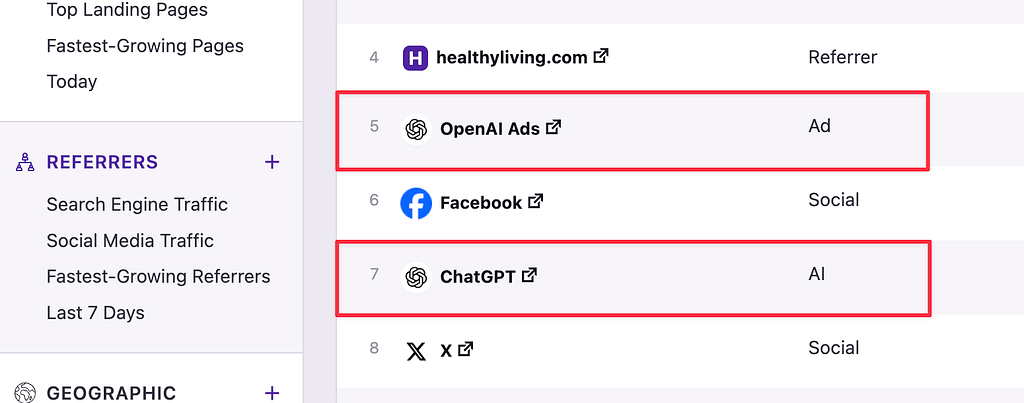
This way, you can compare your organic AI traffic versus the traffic you paid for. With Independent Analytics Pro, you can also see how many form submissions and eCommerce sales were generated from the organic vs. paid traffic. This can be valuable for comparing the quality of traffic.
How to see traffic from individual ads
The Referrers report groups all traffic from OpenAI Ads into one row item. If you want to track the performance of individual ads, you can make use of UTM parameters.
You can use the Campaign Builder in Independent Analytics Pro to create a campaign link, and then use it in your OpenAI advertisement. This can be repeated for each unique link you want to track.
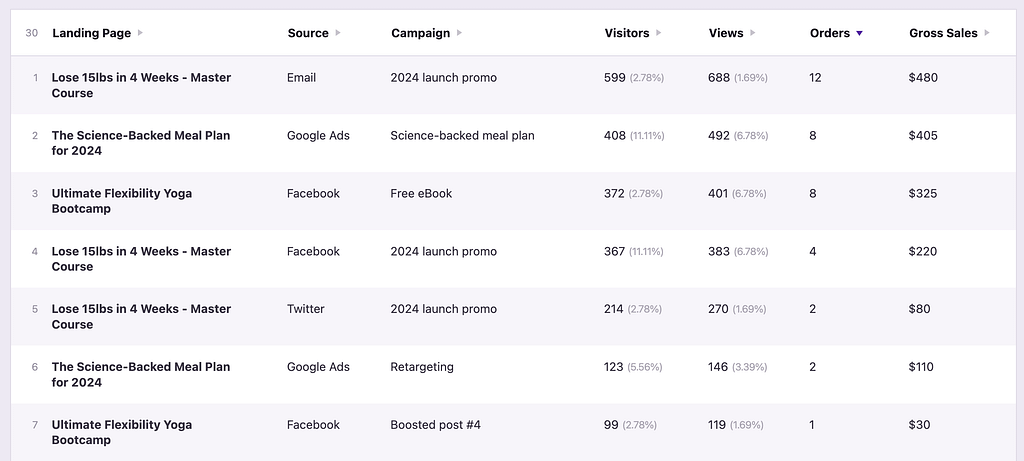
Then, you can review the performance of individual ads in the Campaigns report. Here’s an example showing traffic from ad platforms, including the eCommerce orders and gross sales generated:
Please post a new thread in our support forum, and we will be happy to help you.
