
All organic traffic from Facebook will show up as the Facebook referrer with a Social referrer type. Traffic from visitors clicking on paid ads will be listed as Facebook Ads with an Ad referrer type.
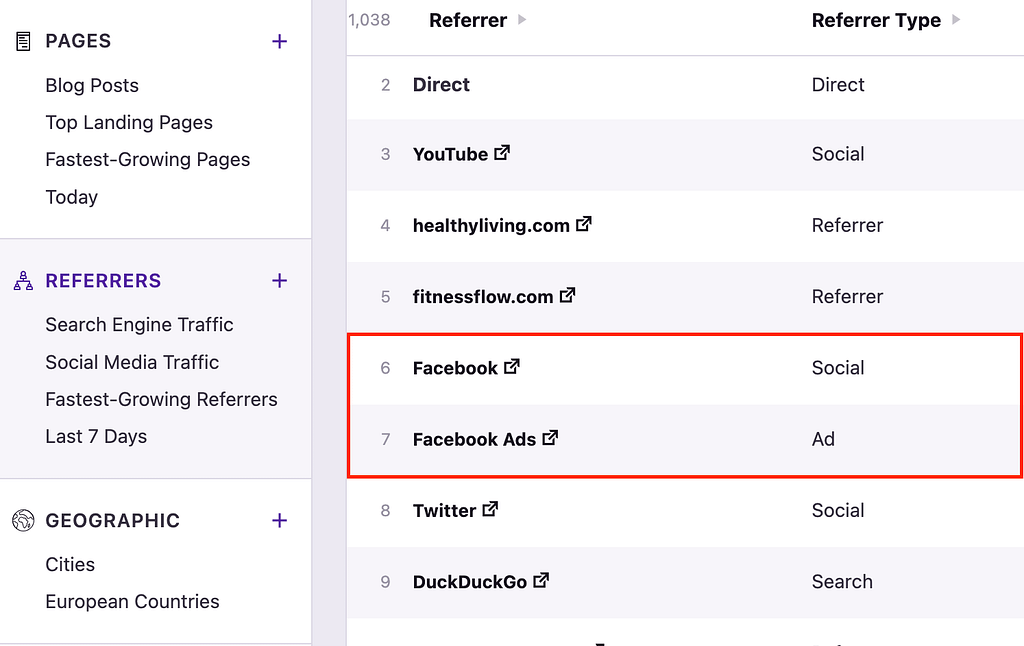
This lets you easily compare how much traffic you get from your regular posts versus your paid ads. With Independent Analytics Pro, you can also compare form submissions and eCommerce sales from free vs. paid Facebook traffic.
How to track Facebook ads
In order to track your Facebook Ads traffic in the Referrers report, you need to set the UTM parameters for your links.
Traffic from Facebook Ads will be counted as regular Facebook traffic unless it meets the following two requirements:
- The
utm_sourcefield is equal tofacebook - The
utm_mediumfield is equal toppcorretargeting, or it containscporpaid
For example, the following URL would be tracked because it meets both rules:
https://mywebsite.com/&utm_source=facebook&utm_medium=ppc&utm_campaign=launch+announcementThis URL would also meet the requirements:
https://mywebsite.com/&utm_source=facebook&utm_medium=paid_social&utm_campaign=launch+announcementAs long as the URLs in your ads pass these checks, traffic from them will be attributed to Facebook Ads in the Referrers report.
How to see traffic from individual ads
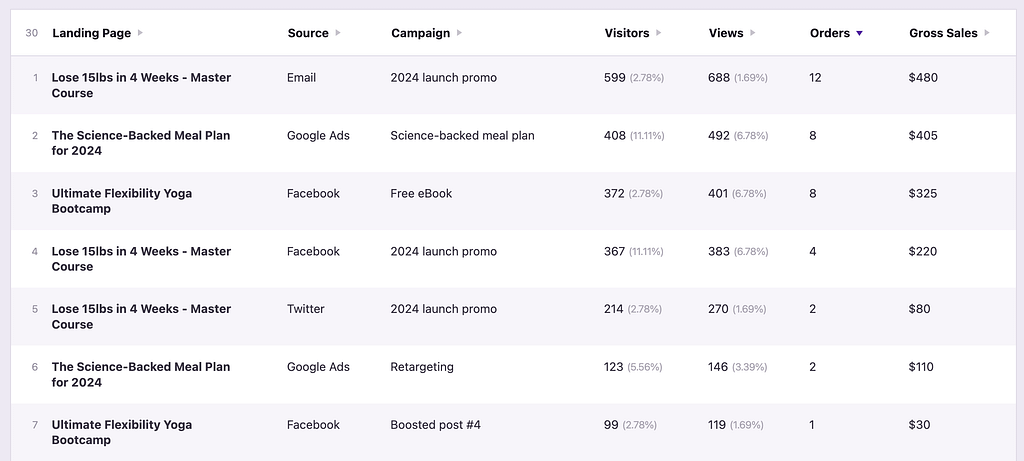
If you’d like to see how much traffic you get from individual ads, this can be done with campaign URLs.
Independent Analytics Pro includes a dedicated campaign builder for creating these URLs and a Campaigns report where you can review stats for each ad.
Please post a new thread in our support forum, and we will be happy to help you.
