
This feature is only available in the Pro version of Independent Analytics.
Independent Analytics Pro will report on all forms that have at least one recorded submission. If you don’t see one of your forms available for display, it means that IA Pro hasn’t tracked a submission for that form yet.
There is no action needed on your part; the forms will show up automatically as submissions are recorded.
For example, here’s what it would look like if you were using the Fluent Forms plugin and had forms titled “Contact Form” and “Lead Gen,” each with at least one recorded submission:
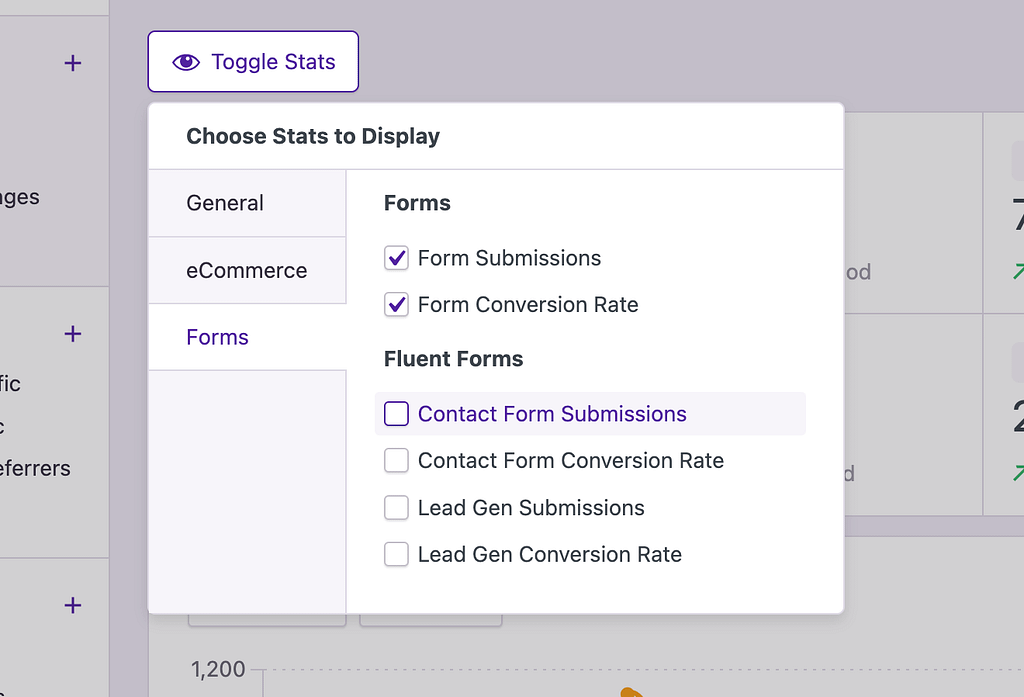
If you created a new form called “Spring Campaign,” and checked your analytics right away, you would not see it listed here. It would only show up once a visitor’s submission has been tracked.
If you want to test a submission yourself, make sure that you do so via a private browser window and from an unblocked IP address. Otherwise, IA Pro will ignore your activity on the site.
Why does it work this way?
If IA Pro scanned your form plugin’s database tables for forms every time the analytics were loaded, it would add to the performance overhead. It could also end up including a large number of forms that are published but no longer displayed anywhere on your site.
By reporting only on forms with tracked submissions, the performance overhead is avoided, and the list of available forms remains restricted to those with data available for analysis.
For help with Pro features or pre-sale questions, please reach out via our contact page.
