
This feature is only available in the Pro version of Independent Analytics.
Forms created with Breakdance are not tracked automatically, but they can be recorded by adding a new action.
In the Breakdance editor, start by selecting the form you want to track. Then, open the Actions section. Click on the dropdown that appears and choose the Independent Analytics Pro action at the bottom.
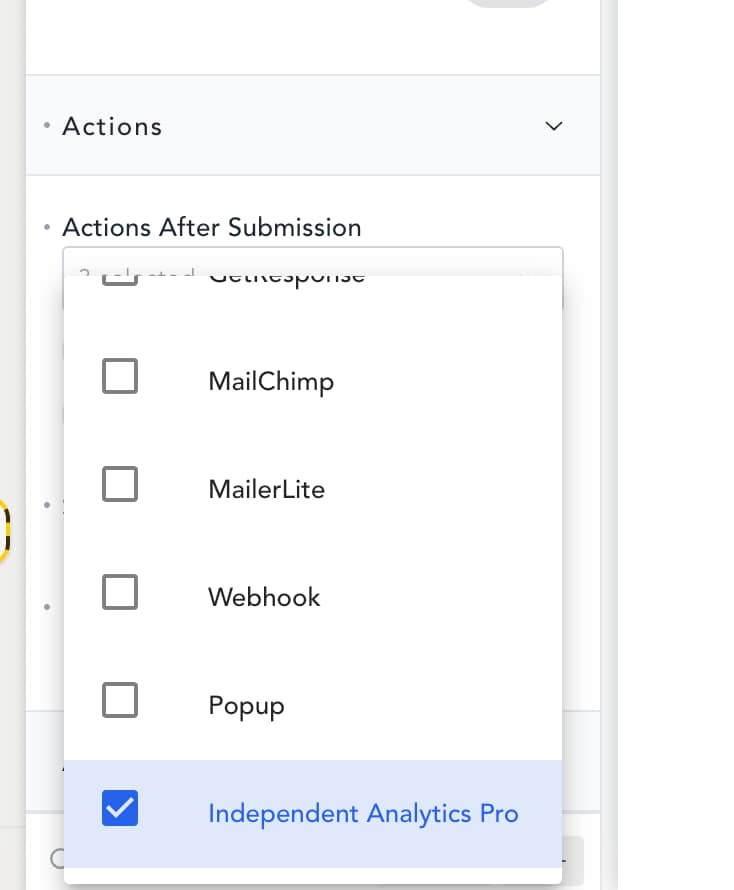
Once this action is added, save your changes, and your form will be tracked!
You won’t see the form show up in your analytics until at least one submission has been recorded. If you want to test the submission for yourself, make sure to do so via a private browser window so that your activity can be tracked.
Editing the form name
Here’s how the form will appear when toggling your Quick Stats:
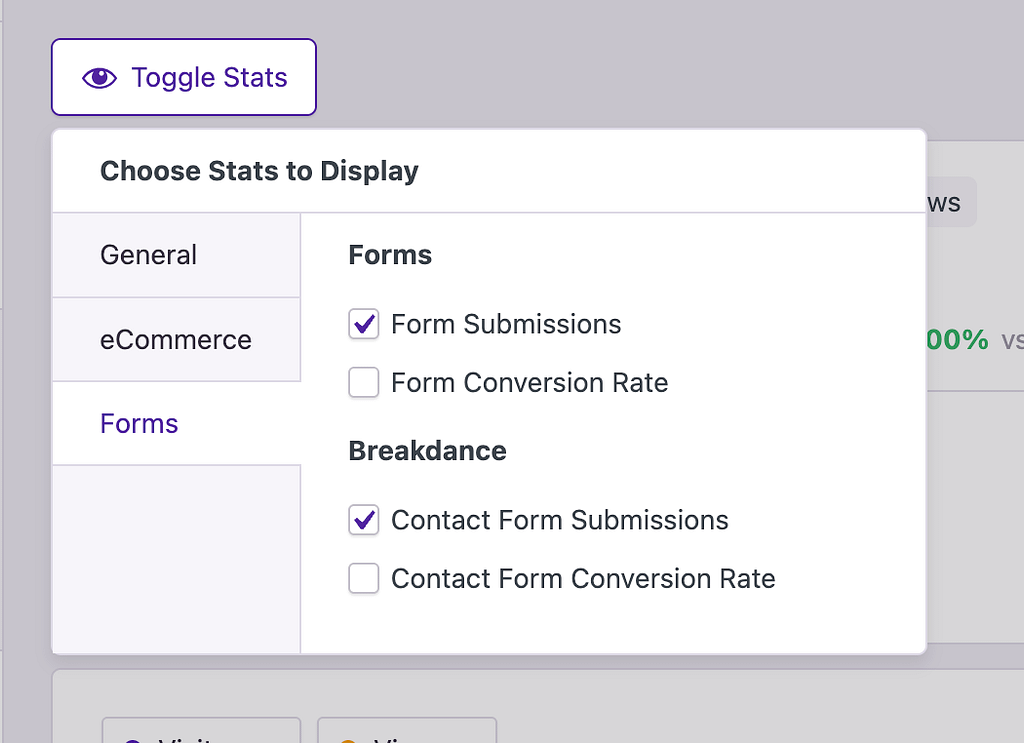
The name that appears in the analytics comes from the Form Name entered here:
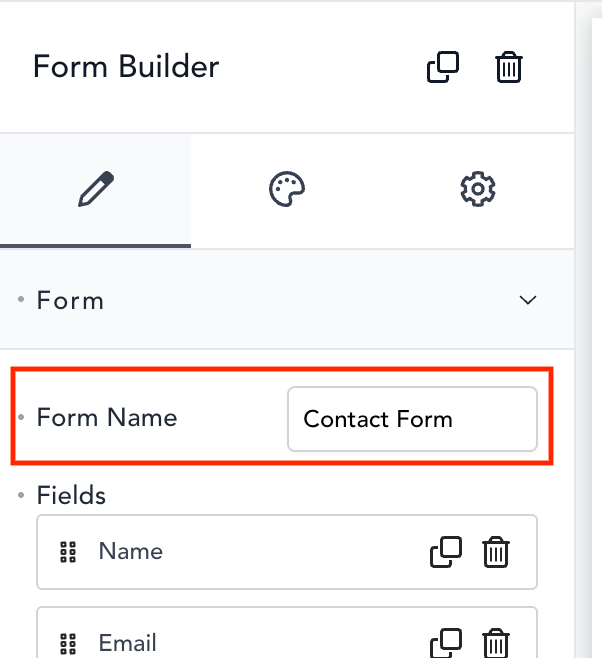
If you change the name in that field, it will be updated in the Analytics menu once a new submission has been recorded.
For help with Pro features or pre-sale questions, please reach out via our contact page.
