
If you are bulk-installing Independent Analytics Pro across many client sites, it can be a pain to manually activate the license key for each one.
There is an unofficial Freemius plugin you can use to enable license key auto-activation. Here’s how it works.
Use the freemius-auto-activation plugin
Start by downloading the plugin from its GitHub page.
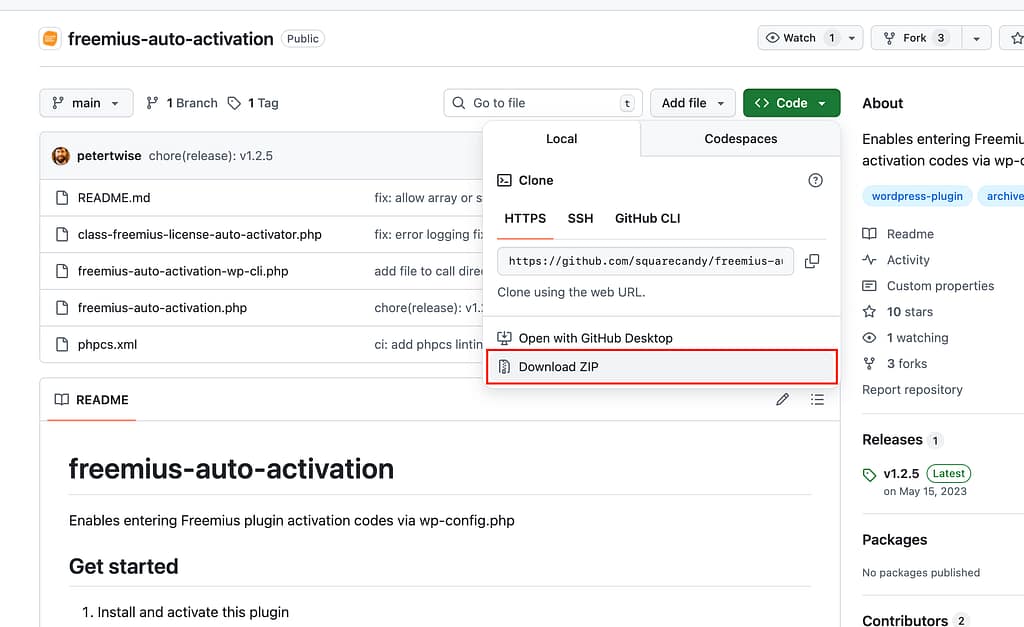
Next, install this plugin on the sites where you want to activate IA Pro.
Then, add these lines to each site’s wp-config.php file:
// freemius activation
define( 'FS_SHORTCODES', 'ia_fs' );
define( 'WP__IA_FS__LICENSE_KEY', '<your_license_key_here>' );
Remember to replace <your_license_key_here> with your Independent Analytics Pro license key.
Now, if you visit the Analytics menu, you’ll see that the license key has been activated. This process saves the license key in the database, so you can delete both this code and the freemius-auto-activation plugin from the site once the key has been saved to the DB.
