


You can track WooCommerce conversions directly inside WordPress using a plugin like Independent Analytics, which automatically records orders, revenue, and conversion rates without any external tools or code.
There’s no need for Google Tag Manager, GA4 eCommerce events, or third-party dashboards. Tracking is automatic, and your eCommerce data lives right in your WordPress admin.
If you’re finding GA4’s eCommerce reporting too complex to configure, you’ll find relief in the automatic eCommerce tracking in Independent Analytics Pro.
How exactly does WooCommerce order tracking work without Google Analytics?
Since Independent Analytics Pro is a WordPress plugin, it can integrate directly with other plugins installed on your site, which Google Analytics can’t do.
Google Analytics is “watching from the outside,” so you have to add JavaScript event code to tell it what’s happening. Independent Analytics is running on the inside, so it already knows when eCommerce transactions are taking place.
The Pro version has eCommerce plugin integrations that allow it to watch for sales and record them as they take place. It currently integrates with:
- WooCommerce
- FluentCart
- Easy Digital Downloads
- SureCart
- Paid Memberships Pro
All you have to do is install Independent Analytics Pro and one of these eCommerce plugins. There’s no other configuration required.
If there’s another eCommerce plugin you want us to integrate with, message us here.
What conversion data can I see directly in WordPress?
With the right plugin, you can see all the essential eCommerce metrics without leaving your WordPress dashboard. Independent Analytics Pro tracks WooCommerce orders automatically and shows you:
- Orders — the total number of completed purchases over any date range
- Gross sales — gross revenue tied to those orders
- Total sales — gross revenue minus refunds
- Conversion rate — the percentage of visitors who completed a purchase
- Average order value — find where your biggest orders are coming from
- Earnings per customer — find your most profitable customer sources
- Refunds — the number of refunded orders
- Refunded amount — the amount of refunded revenue
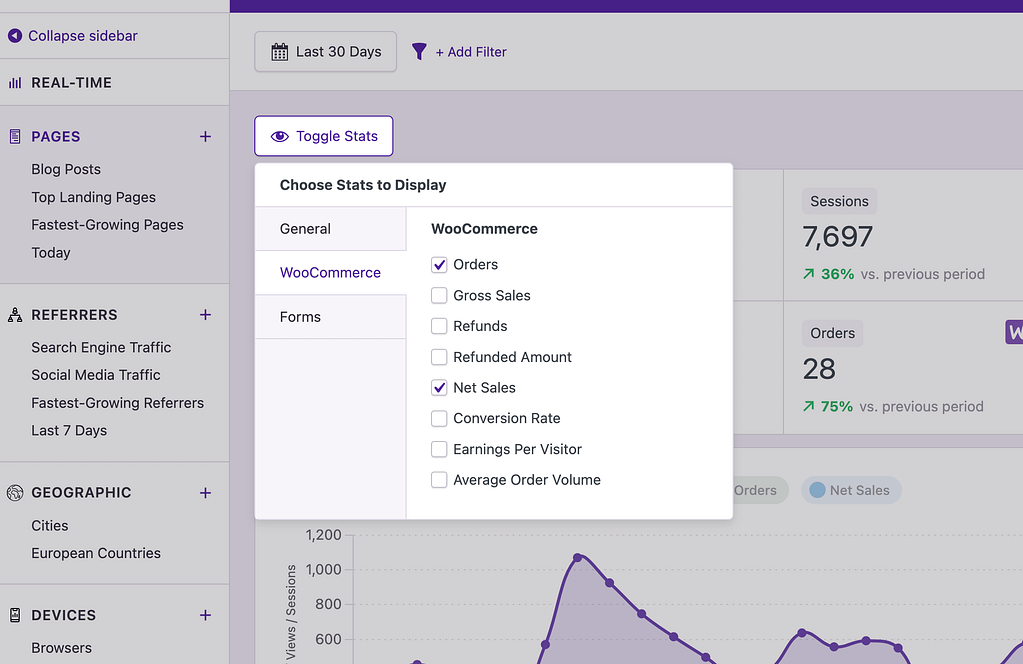
This data isn’t locked behind a separate platform or buried in a maze of custom reports. The eCommerce stats are easy to find throughout the analytics dashboard.
Can I track revenue per traffic source without GA4 eCommerce tracking?
Yes, you can find revenue for each traffic source easily with Independent Analytics Pro. Open the Referrers report and enable eCommerce stats like Orders and Gross Sales to view them for each referrer

With this data, you can answer real business questions — not just “how many orders did I get” but “which traffic sources are actually generating revenue.”
It can also be extremely helpful to view the conversion rate of each referrer. You may find a site that hasn’t referred many sales but is converting very well. This is a hidden gem you should invest in further to grow your sales.
Can I track eCommerce sales from UTM campaigns?
Yes, Independent Analytics Pro also includes a dedicated Campaigns report that shows you how many visitors and views you received from each campaign.
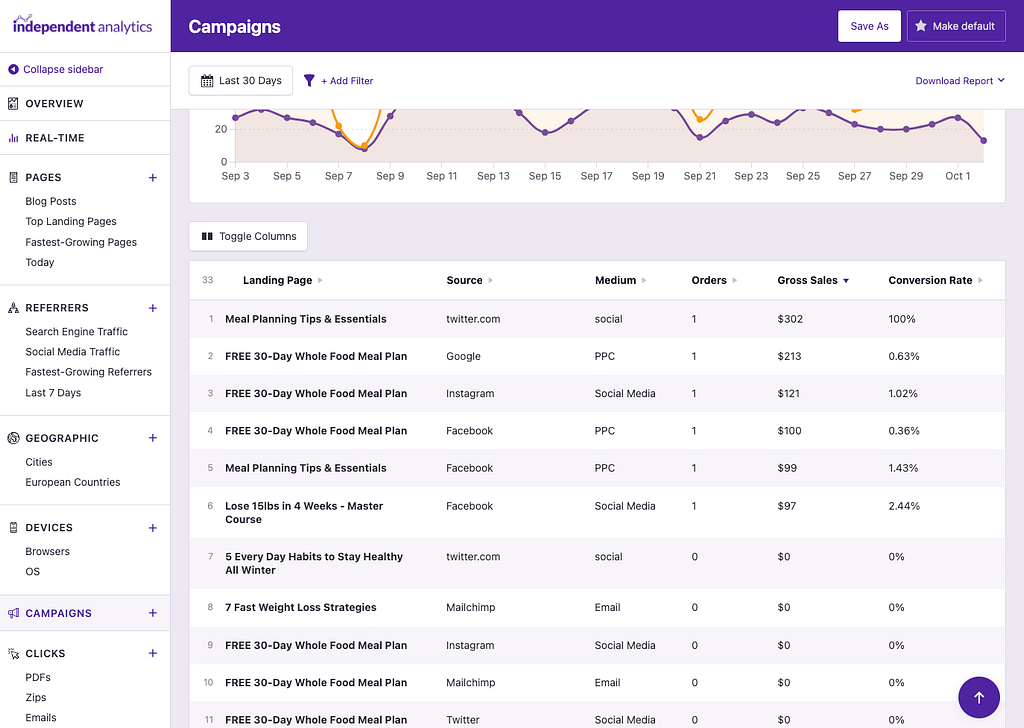
Like the Referrers report, you can enable the eCommerce columns, like Orders and Gross Sales, to compare the performance of each campaign.
There are grouping options for each of the UTM parameters too. For instance, you can group your campaigns by utm_source to compare sales performances between sources. The same can be done for the utm_medium and utm_campaign parameters too.
How do I know which blog posts are driving sales?
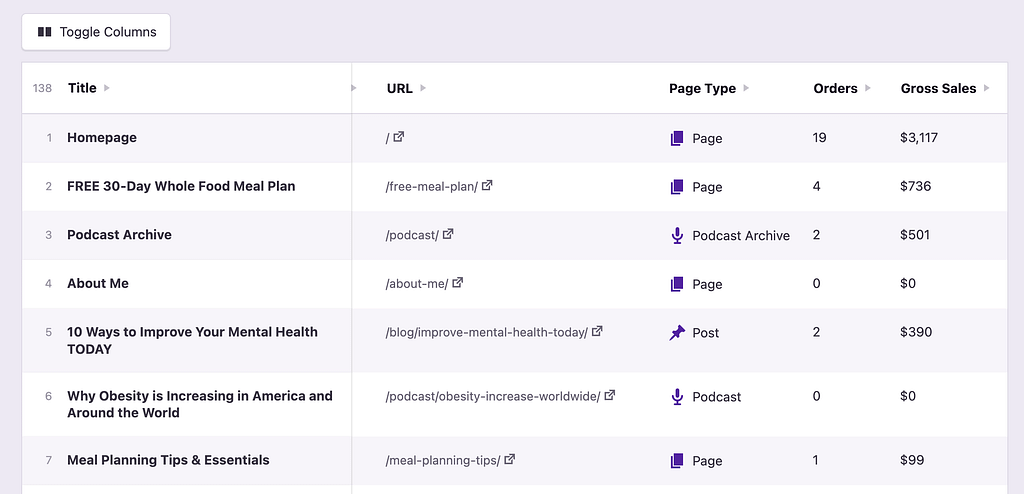
Open the Pages report in Independent Analytics Pro, enable the Orders column in the table, and sort by Orders. This will show you how many orders have been referred by each page.
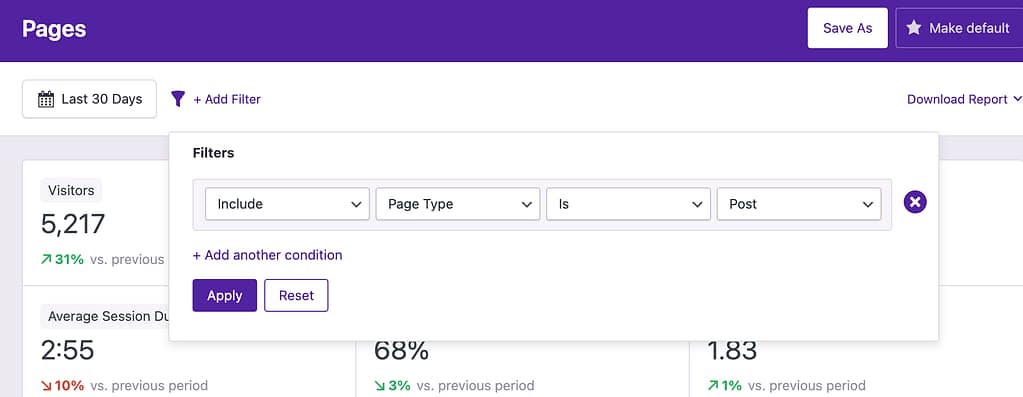
If you want to limit the report to blog posts only, you can add a Page Type filter so that only posts are shown in the results.
Orders are attributed to the landing page, which is the first page the visitor viewed when they arrived at your website. Credit is given to the landing page because if the sales were attributed to the page where they took place, they would all be credited to the checkout page.
Once you know which posts are driving sales, you can double down. Update those posts to keep them ranking, write more content on similar topics, and promote them in your email campaigns. You can also identify posts that get plenty of traffic but zero conversions — those might need a stronger call to action or a better internal linking to your product pages.
Can I see the source for individual WooCommerce sales?
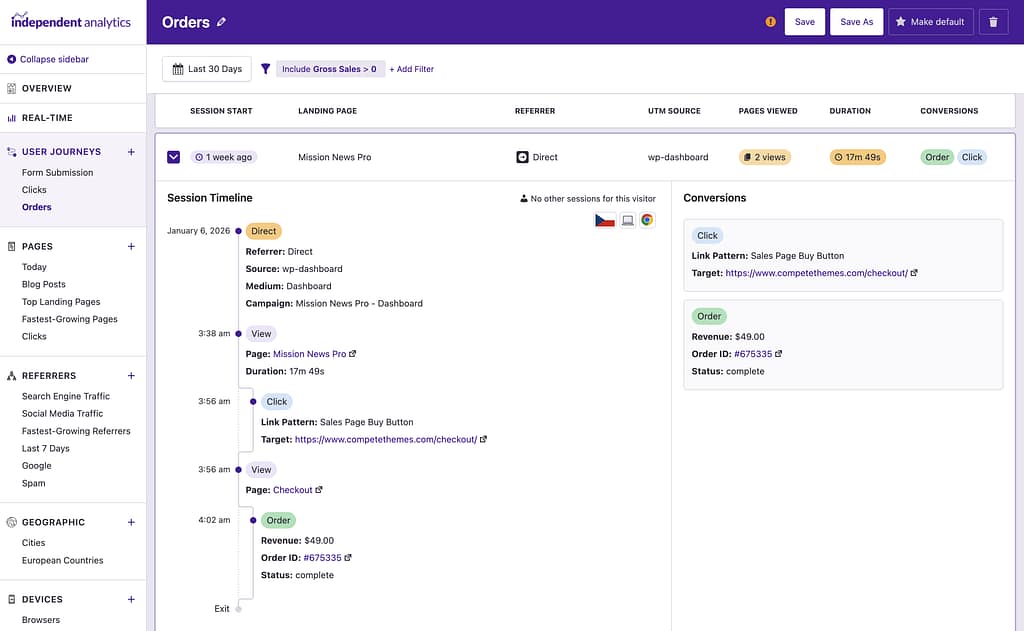
Yes, if you visit an Order page in WooCommerce, there is a Customer Journey box added by Independent Analytics Pro that includes the referrer data.

There is also a button you can click that will take you to their complete journey in the User Journeys report. This lets you see each page they viewed and how long they spent on each one.
Does cookieless tracking affect WooCommerce conversion accuracy?
It depends on how the attribution works. Independent Analytics Pro always attributes the sale to the source the visitor came from when they make their purchase, which is perfectly accurate even without using any cookies.
Attributing the sale to the first referrer the visitor ever came from is much harder. Using cookies can help your analytics recognize visitors over longer periods, but it’s unreliable. Many people clear their cookies frequently and block tools like Google Analytics entirely, so attributing sales to the first referrer a visitor came from often leads to inaccurate data.
For these reasons, we’ve opted to use “first click” attribution for all of the reports in Independent Analytics Pro.
Tracking WooCommerce conversions without Google Analytics is easy with the right tool. If you’re interested in trying out Independent Analytics for your website, you can click here to download a free copy for your website.
