
“For me personally, this is the tool that I’ve been using now for the last year plus, and I have no reason to want to change. Everything I need is there.”
Paul Charlton
WordPress analytics plugin
Get Analytics You Understand
Simple, common sense stats (without sacrificing functionality)
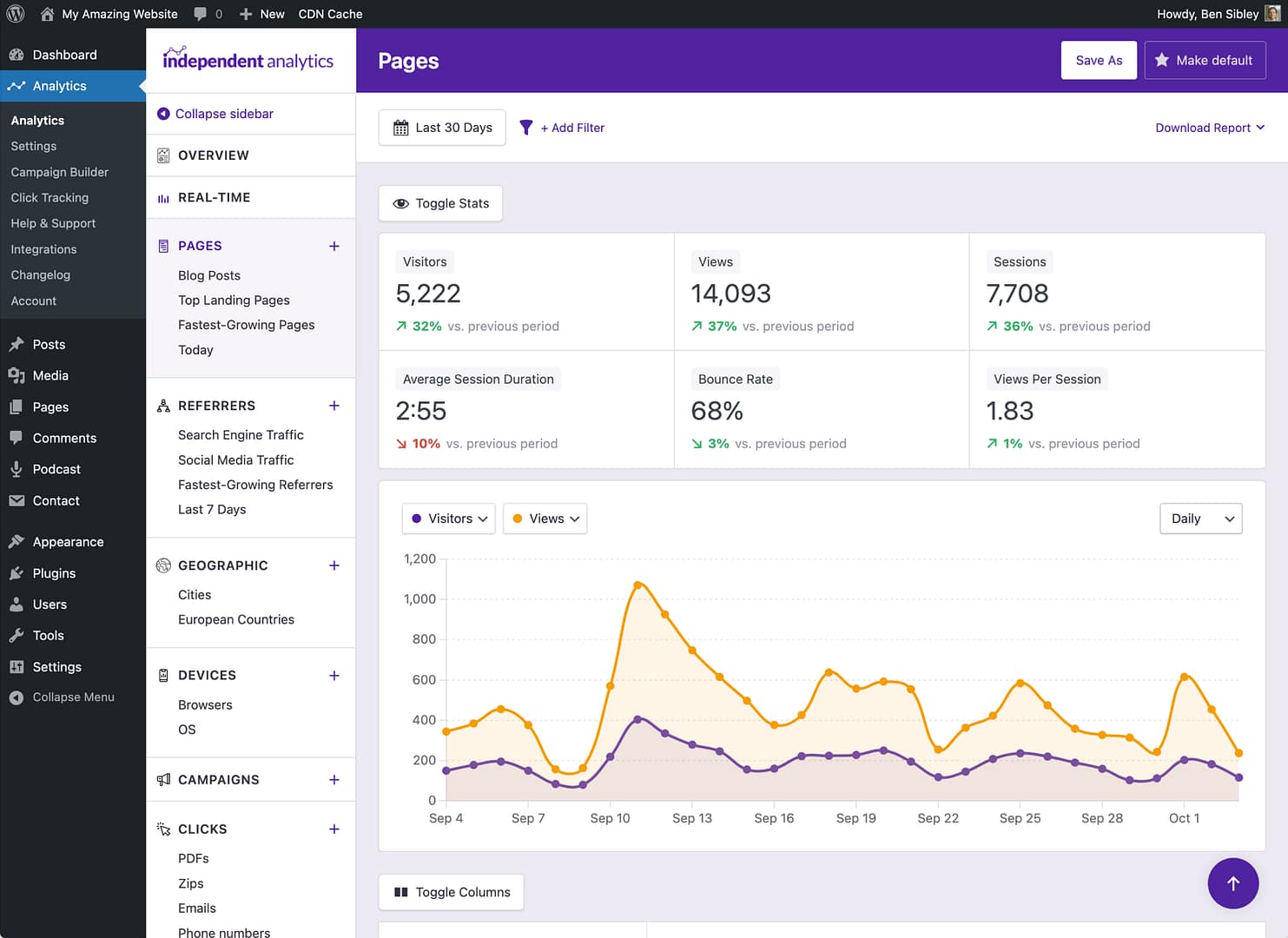
Analytics have gotten too complicated
Nobody wants to spend hours watching YouTube tutorials just to navigate their analytics. It should be easy to answer basic questions about your visitors.
Every Tool You Need to Analyze & Grow Your Website
Explore your new WordPress analytics toolkit
Pages Report
Referrers Report
Geographic Report
Devices Report
Campaigns
PRO
Real-time Analytics
PRO
Click Tracking
PRO
eCommerce Analytics
PRO
User Journeys
PRO
Form Tracking
PRO
Overview Report
PRO
Solo Reports
PRO
Email Reports
PRO
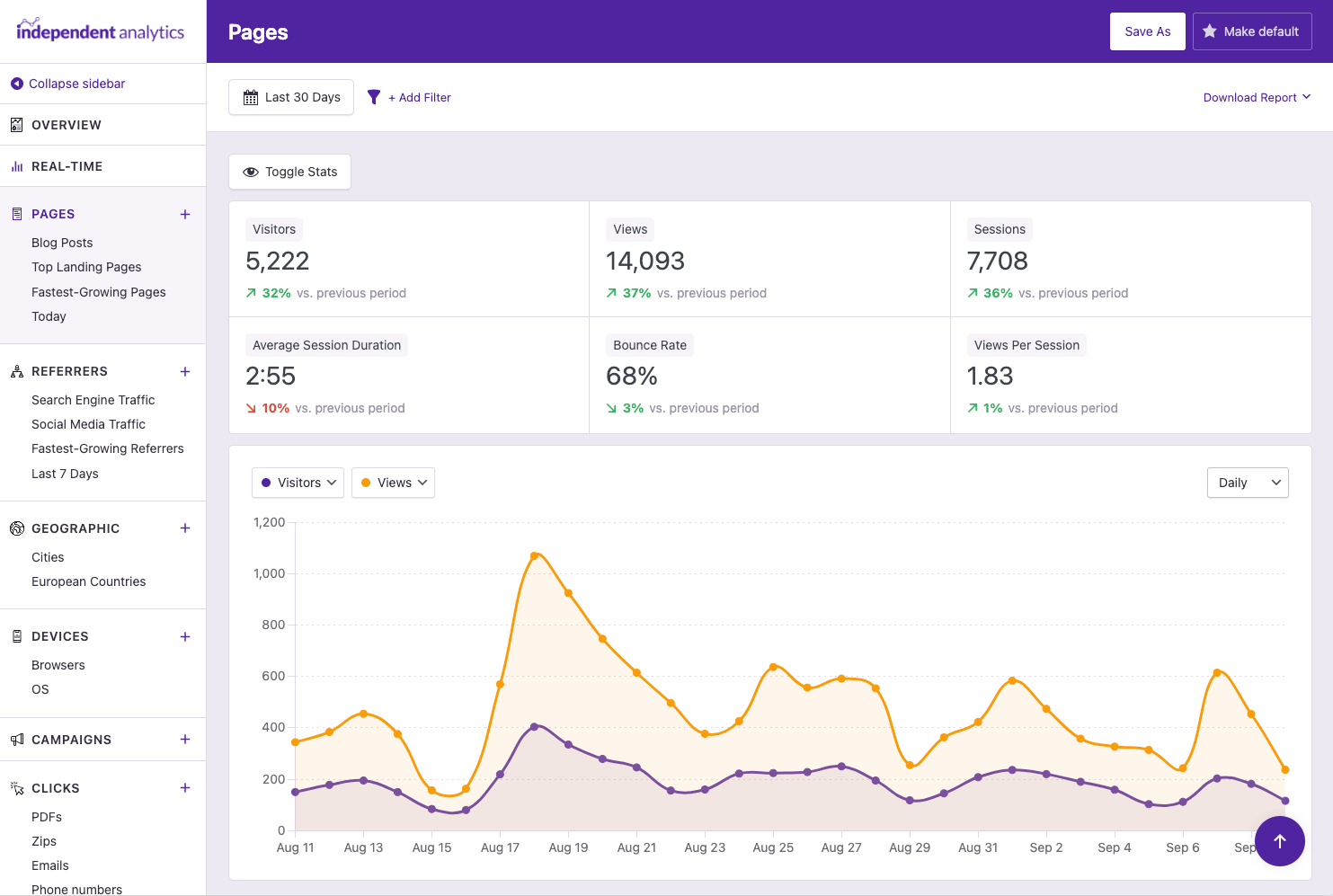 Find your site's most popular posts & pages
Learn more →
Find your site's most popular posts & pages
Learn more →
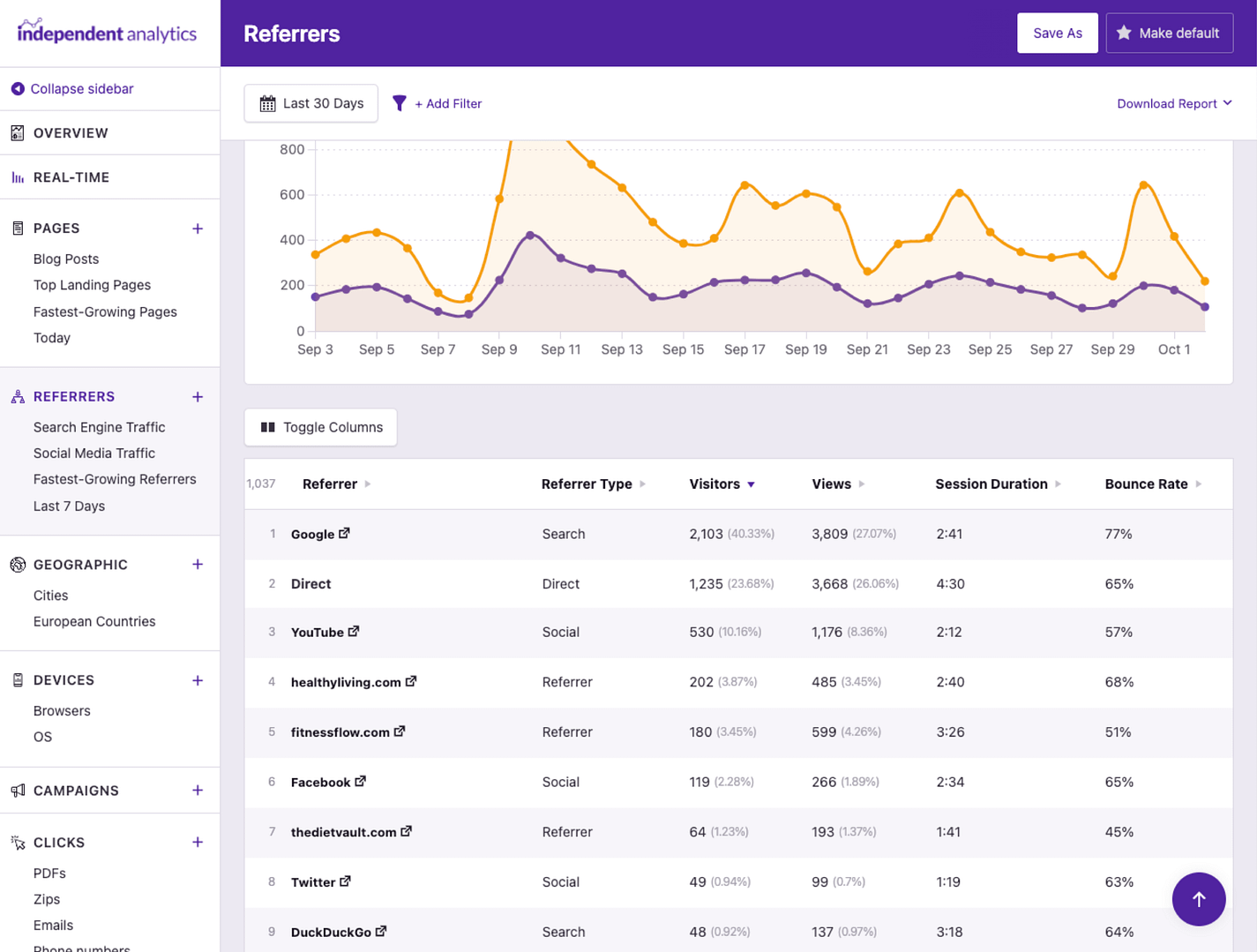 Discover which sites are sending you the most visitors.
Learn more →
Discover which sites are sending you the most visitors.
Learn more →
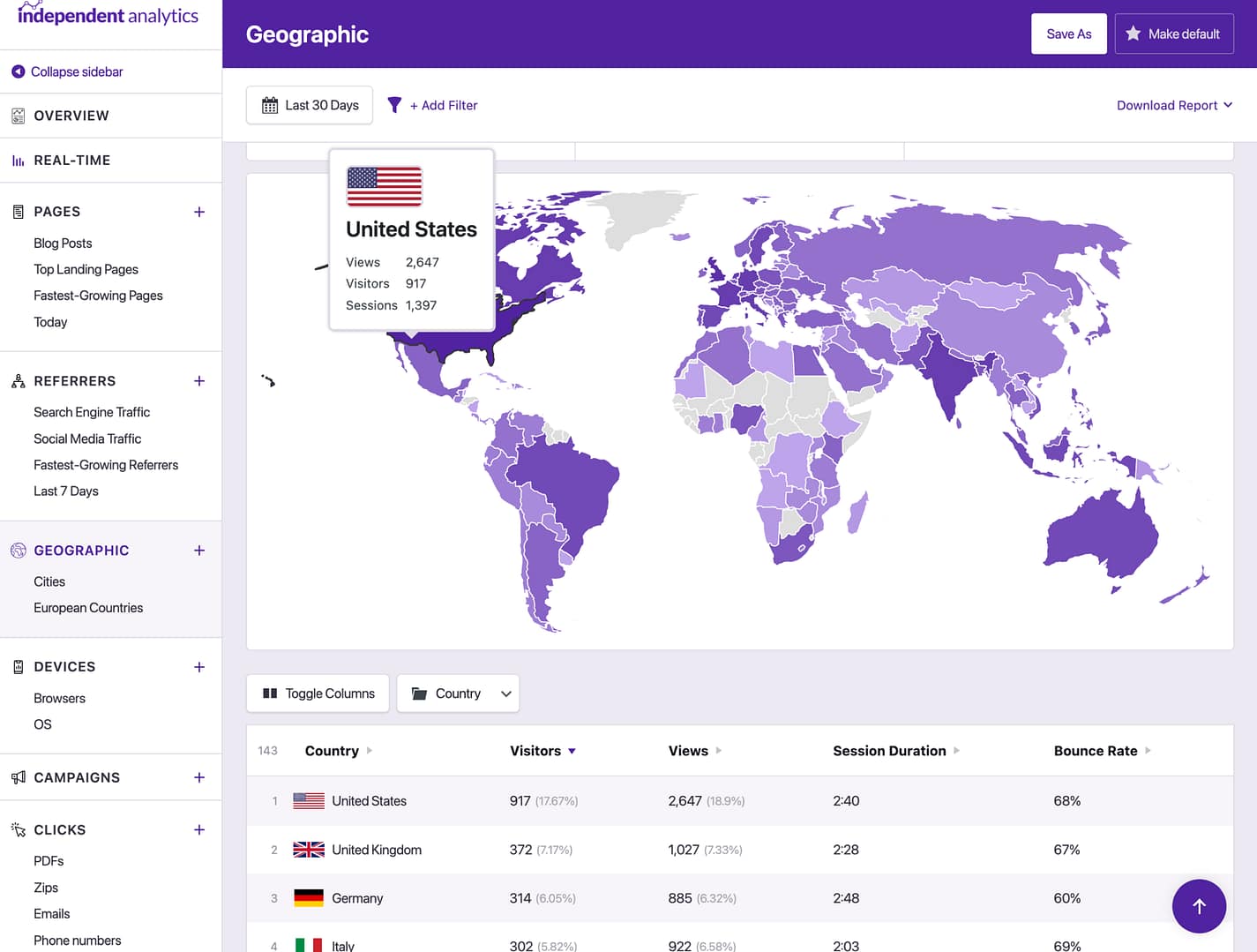 Find which countries & cities your visitors are coming from.
Learn more →
Find which countries & cities your visitors are coming from.
Learn more →
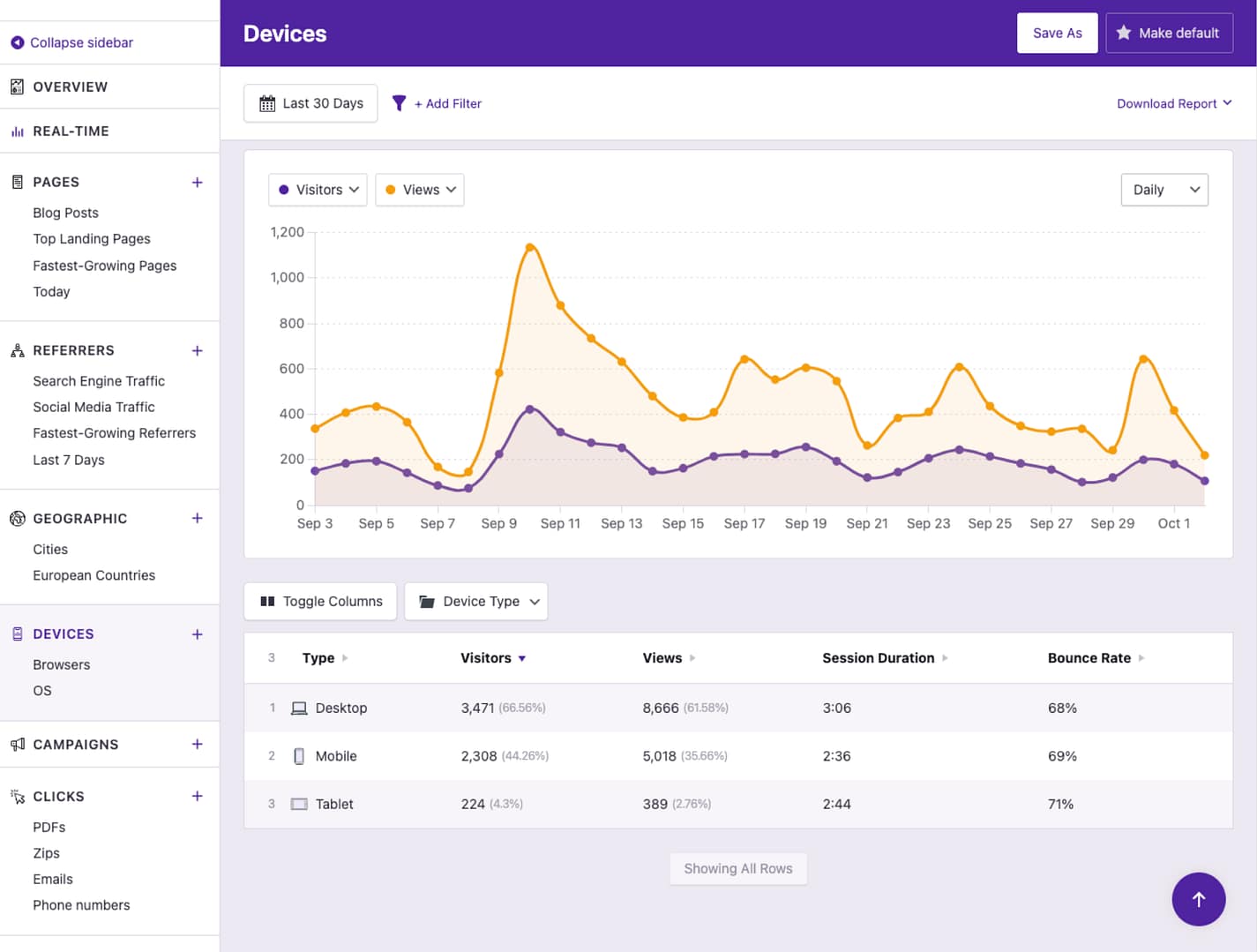 See how much traffic you get from mobile vs. desktop.
Learn more →
See how much traffic you get from mobile vs. desktop.
Learn more →
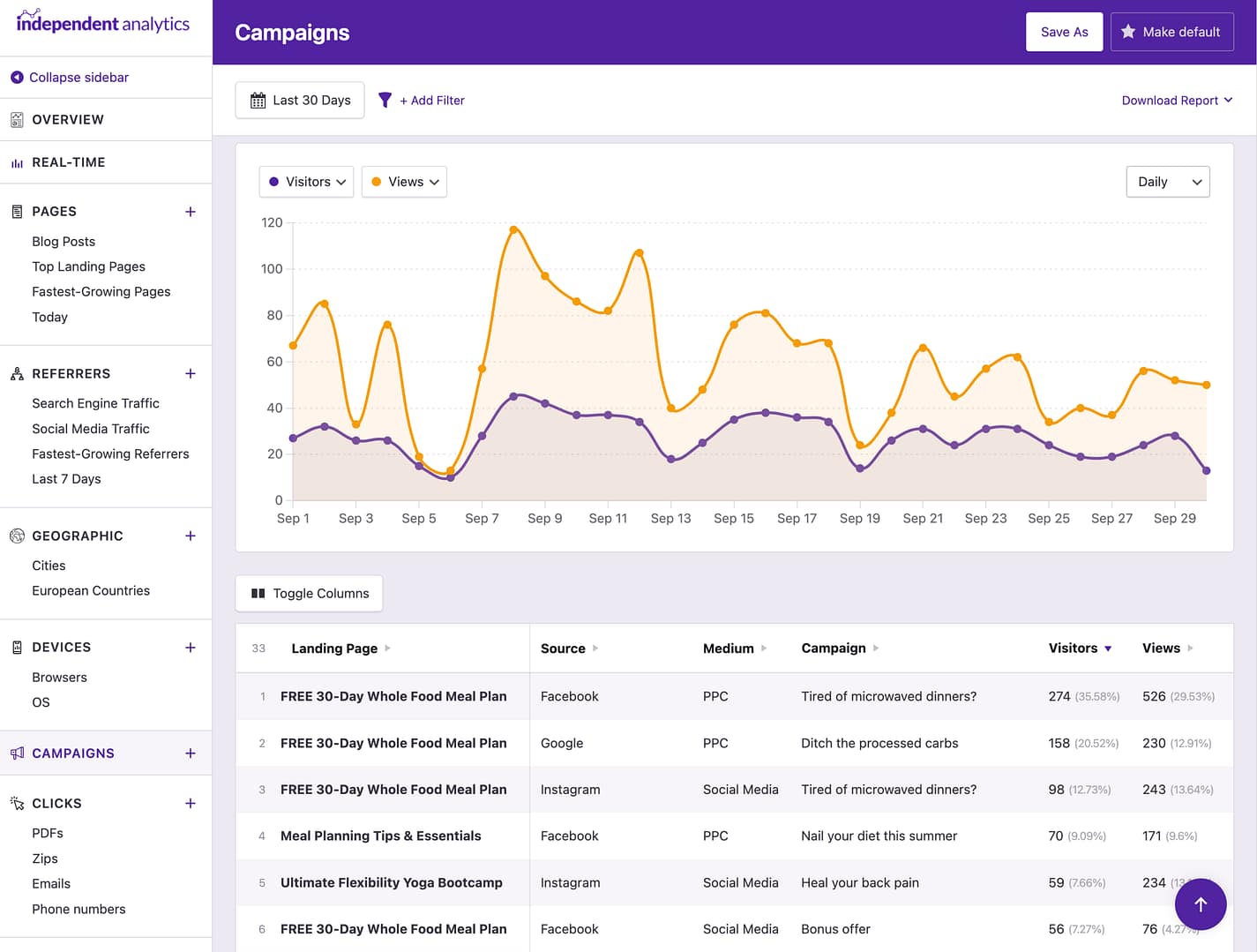 Create campaign links and track the traffic, leads, and sales from each one.
Learn more →
Create campaign links and track the traffic, leads, and sales from each one.
Learn more →
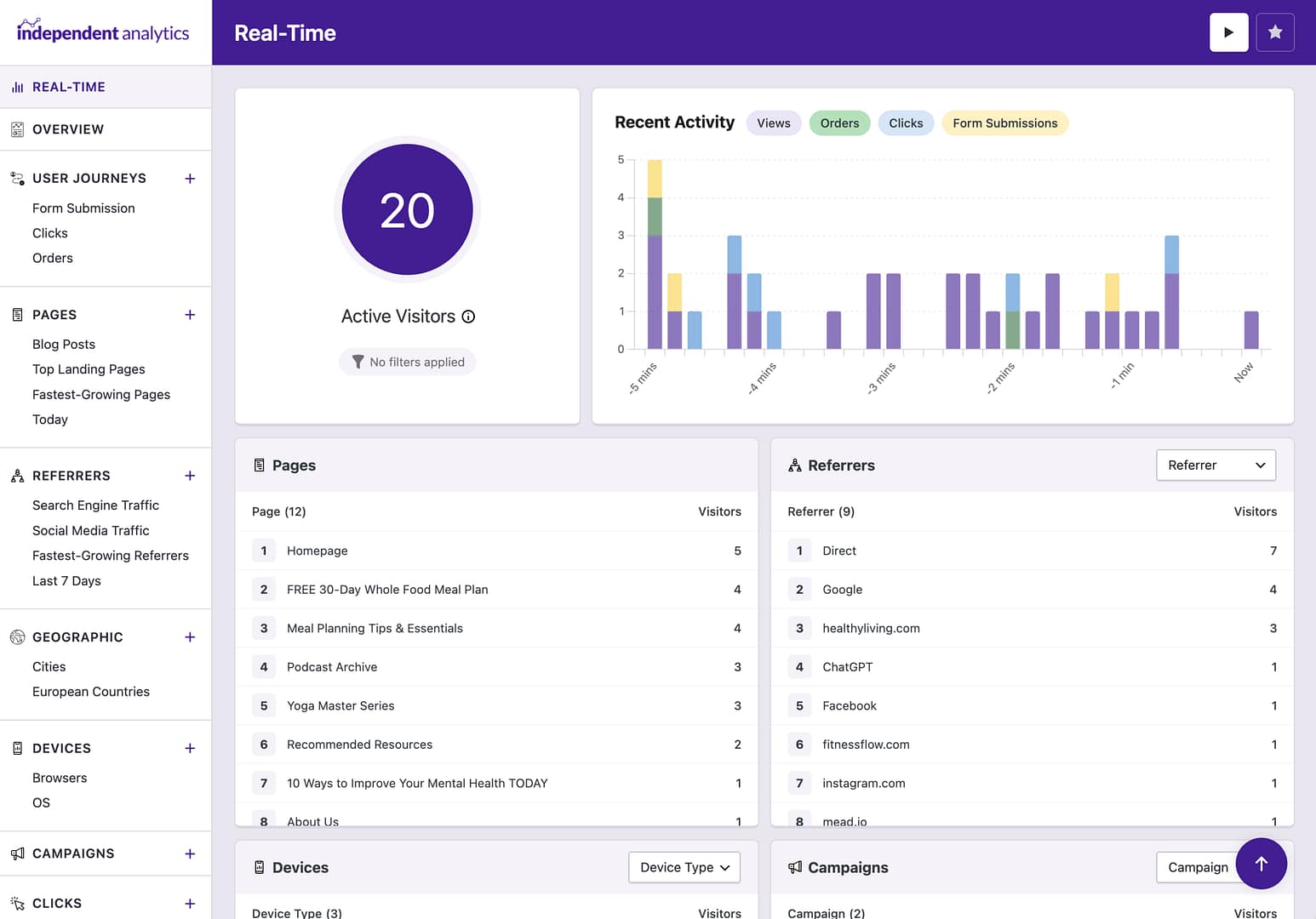 See how many people are on your website right now.
Learn more →
See how many people are on your website right now.
Learn more →
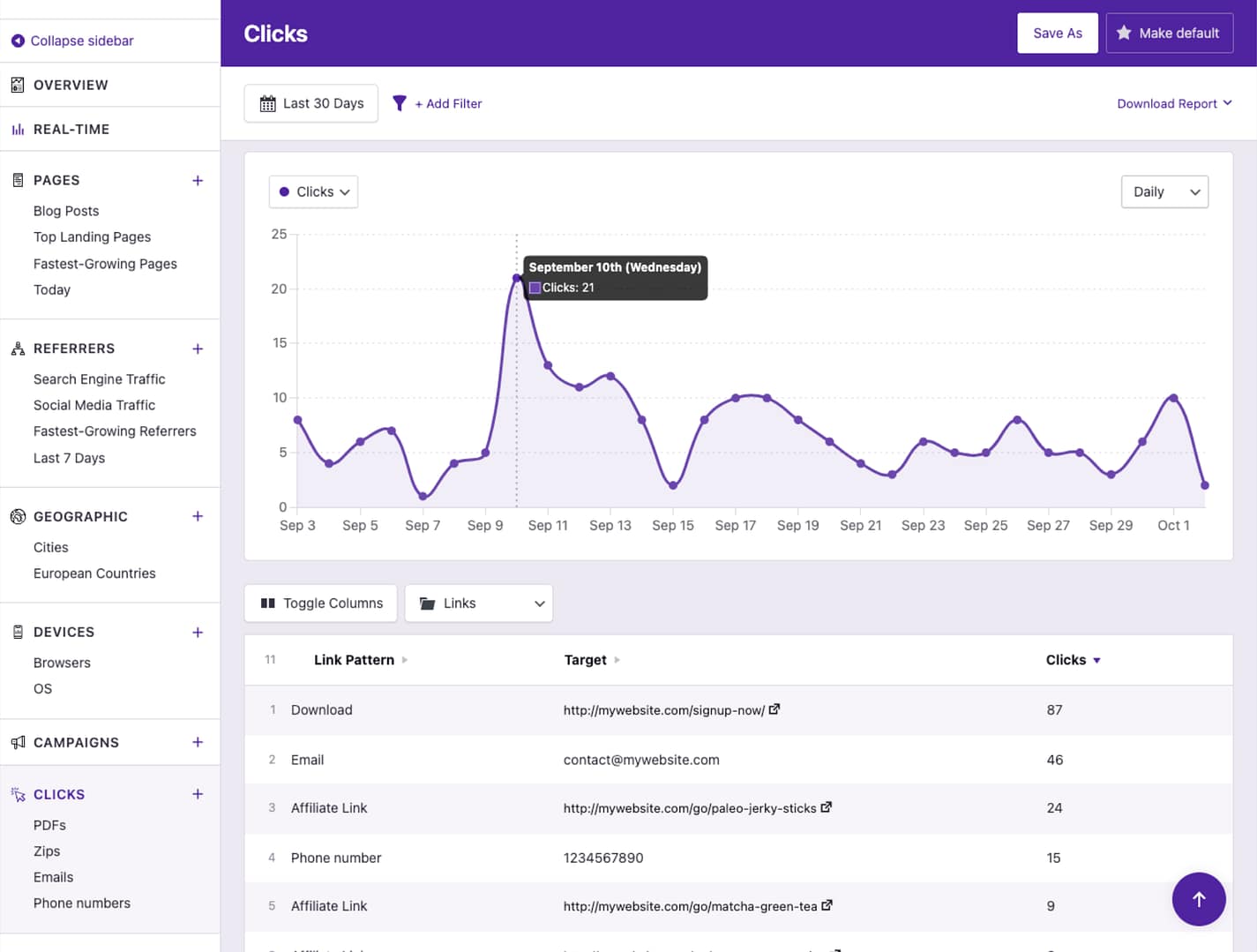 Track clicks on any link on your website.
Learn more →
Track clicks on any link on your website.
Learn more →
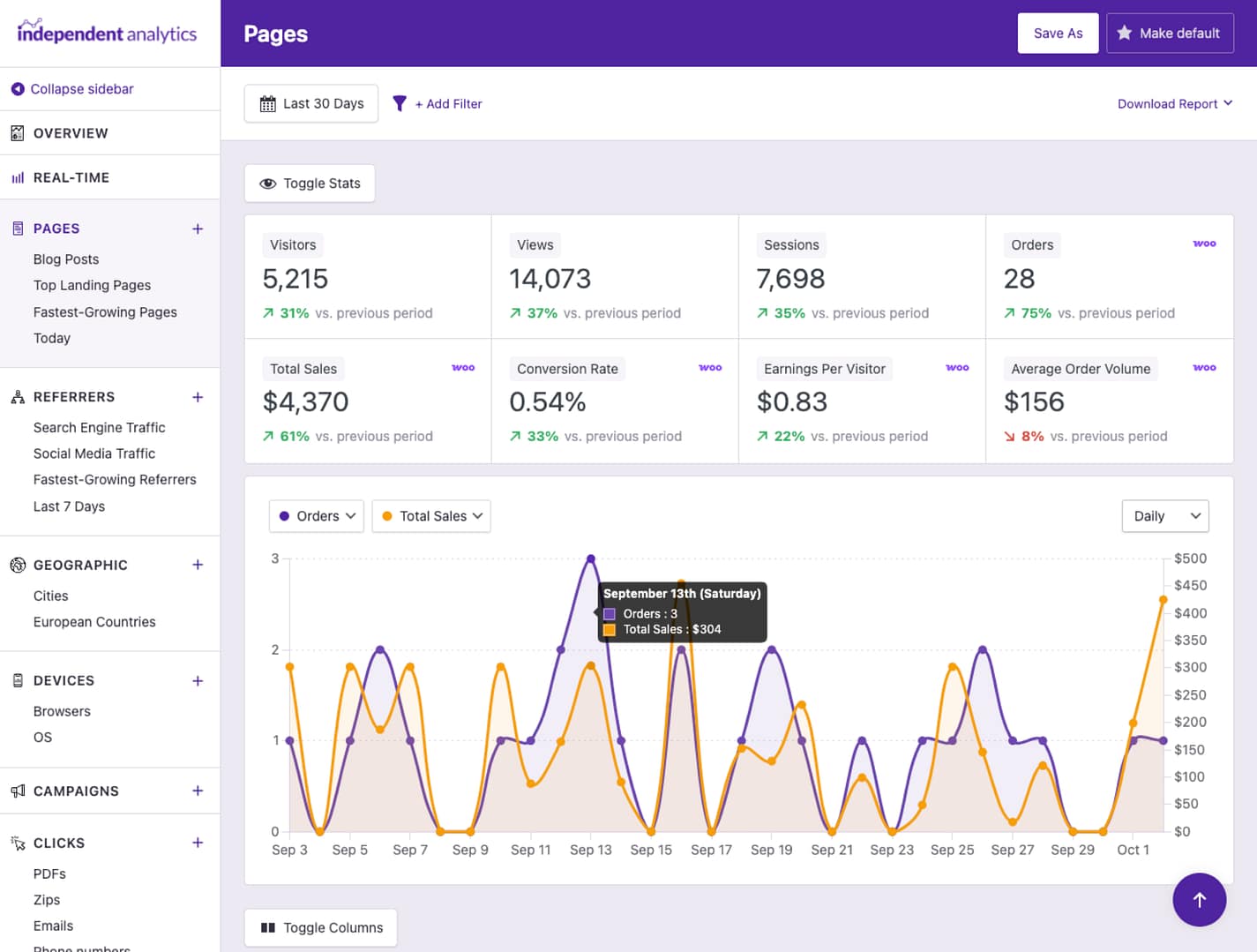 Find out where your best customers are coming from.
Learn more →
Find out where your best customers are coming from.
Learn more →
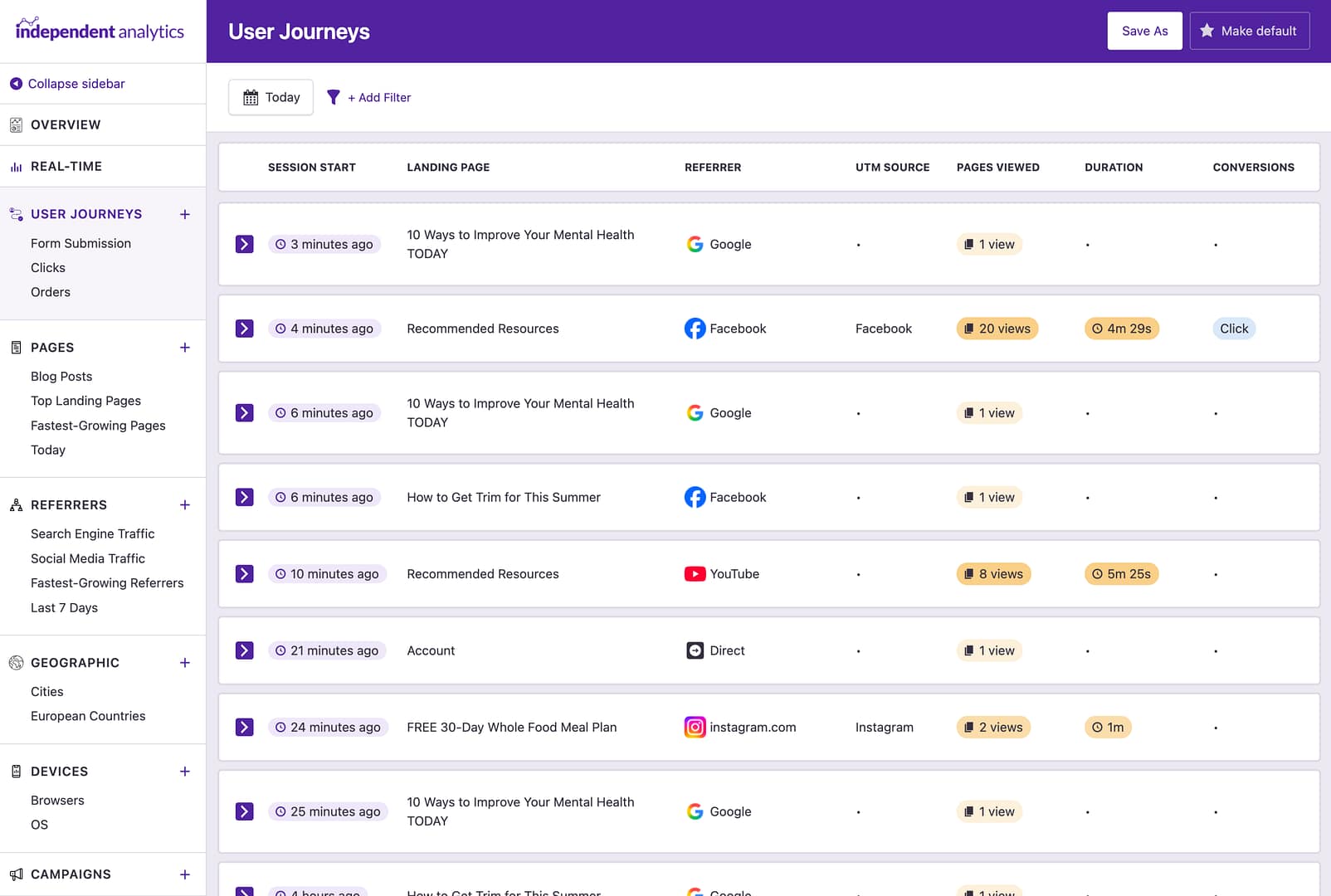 Find out how people are using your website.
Learn more →
Find out how people are using your website.
Learn more →
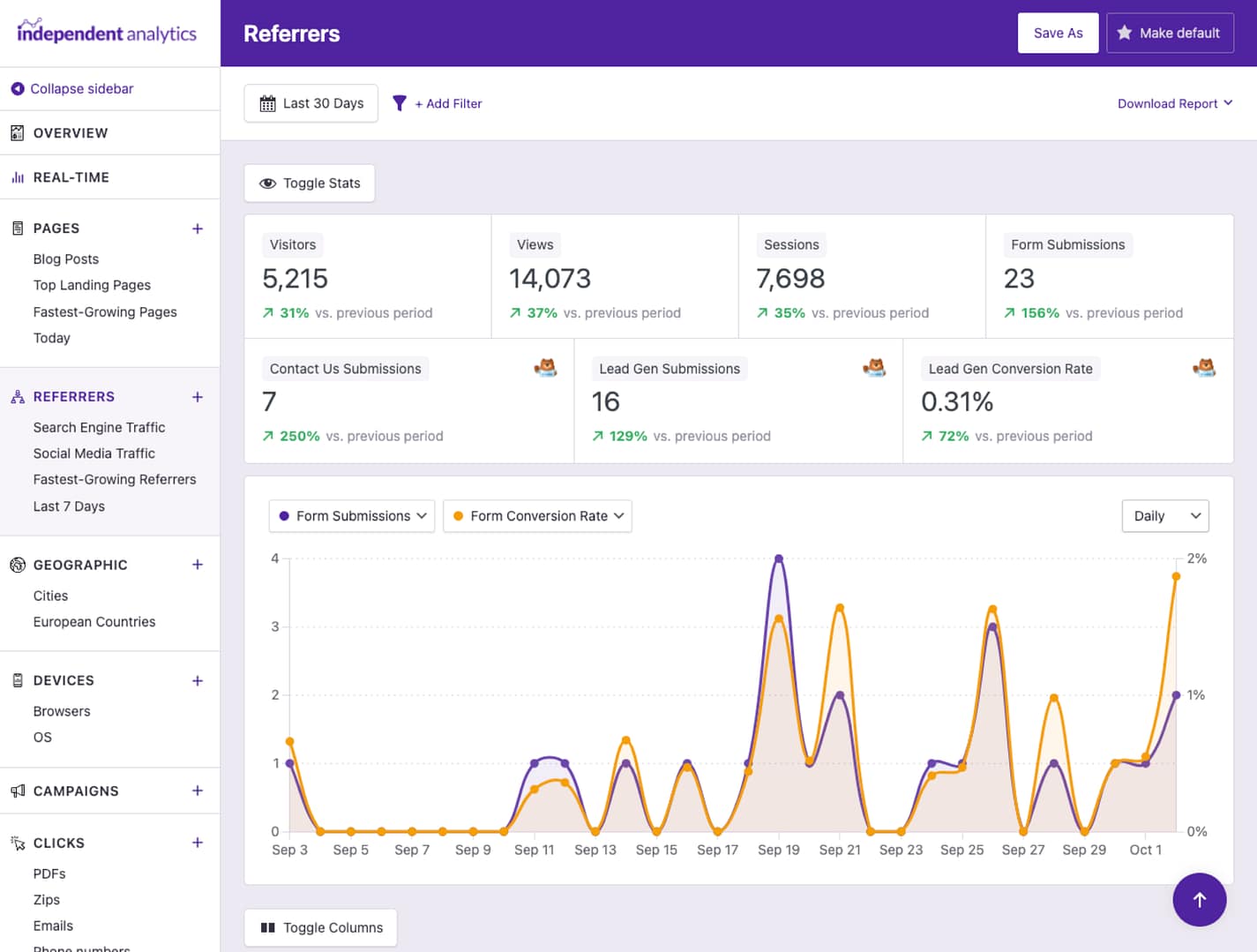 Find out where your leads are coming from and which forms convert the best.
Learn more →
Find out where your leads are coming from and which forms convert the best.
Learn more →
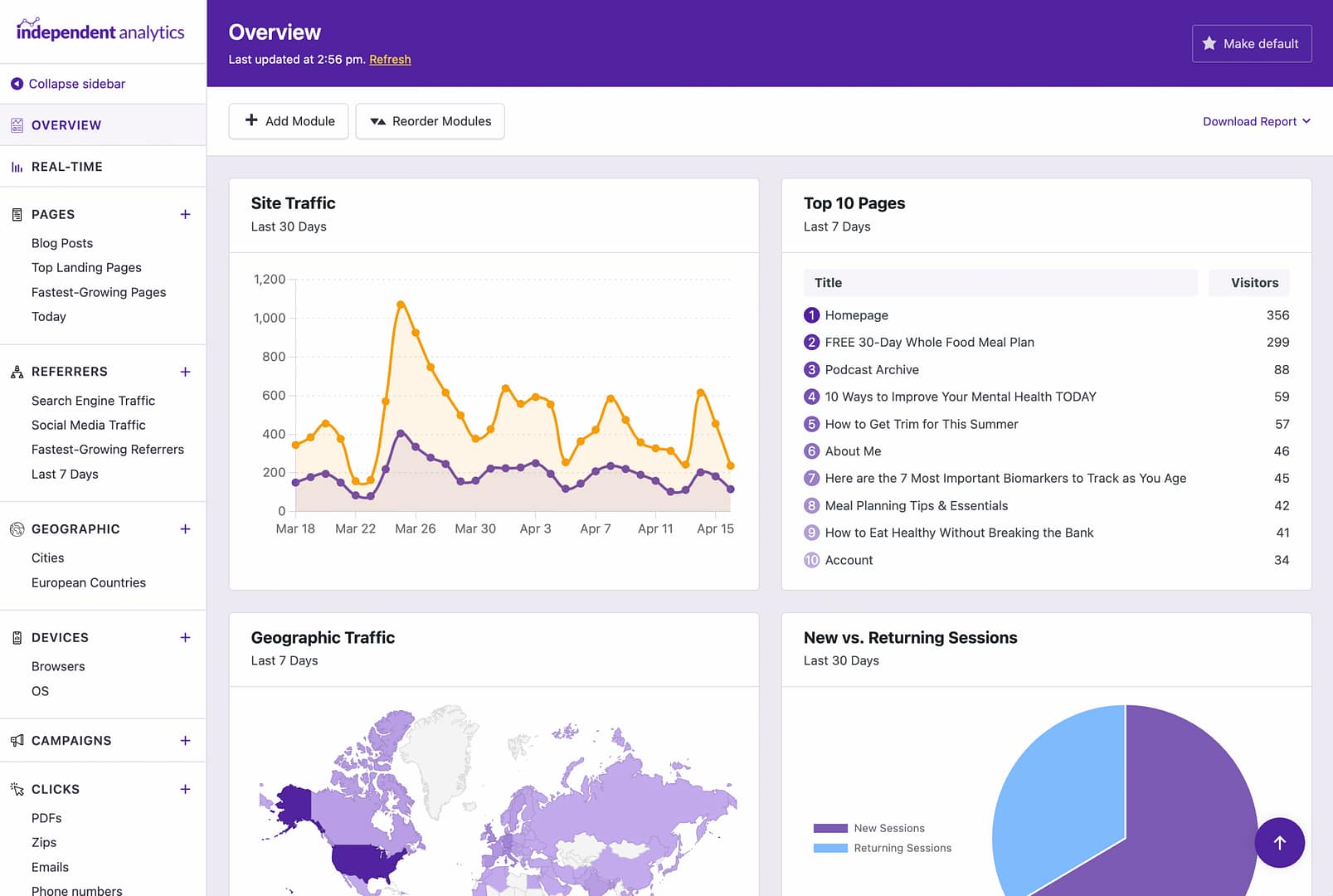 Build a custom overview report with all your data in one place.
Learn more →
Build a custom overview report with all your data in one place.
Learn more →
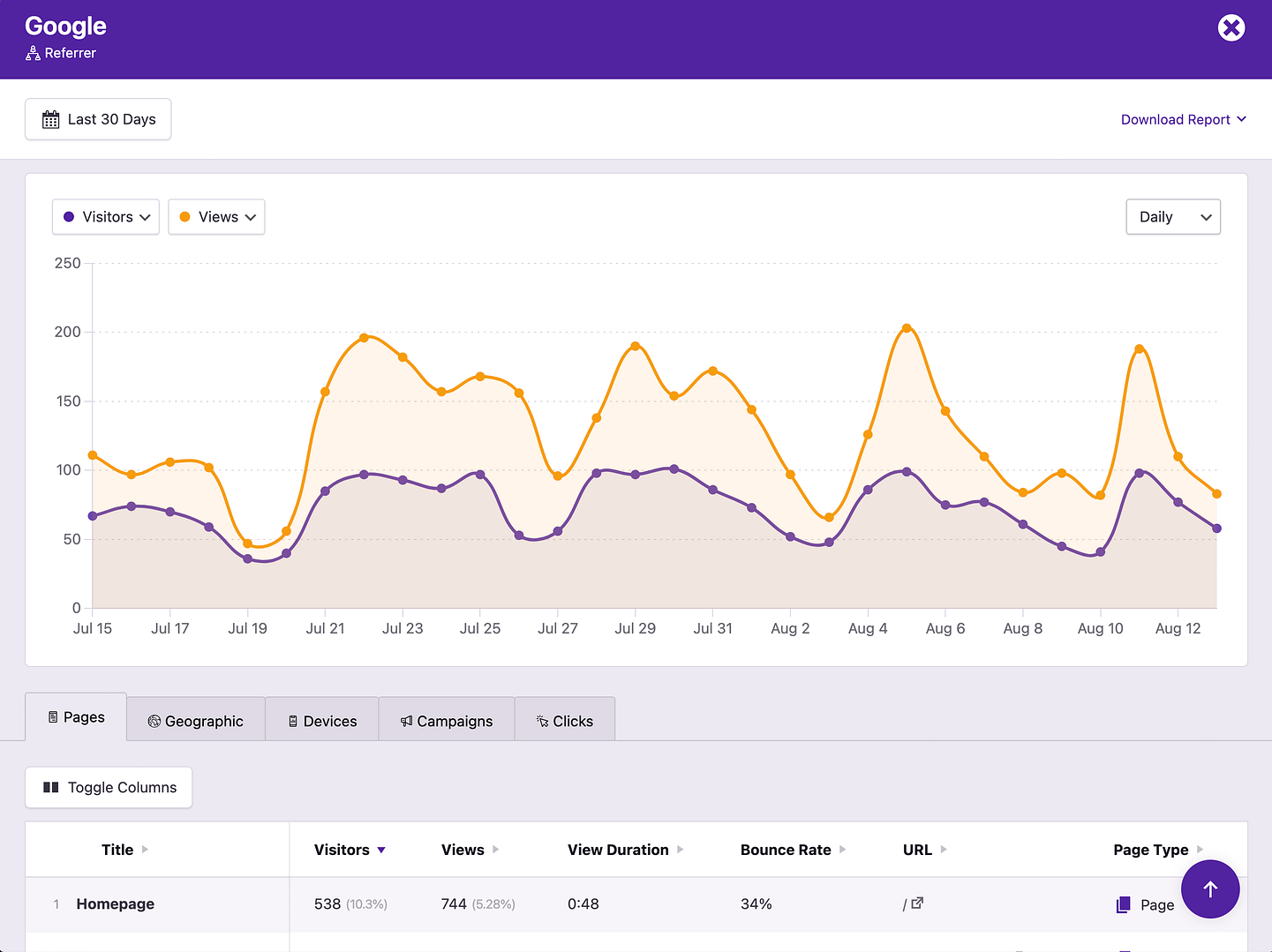 Dive deeper into your data with reports for individual pages and referrers.
Learn more →
Dive deeper into your data with reports for individual pages and referrers.
Learn more →
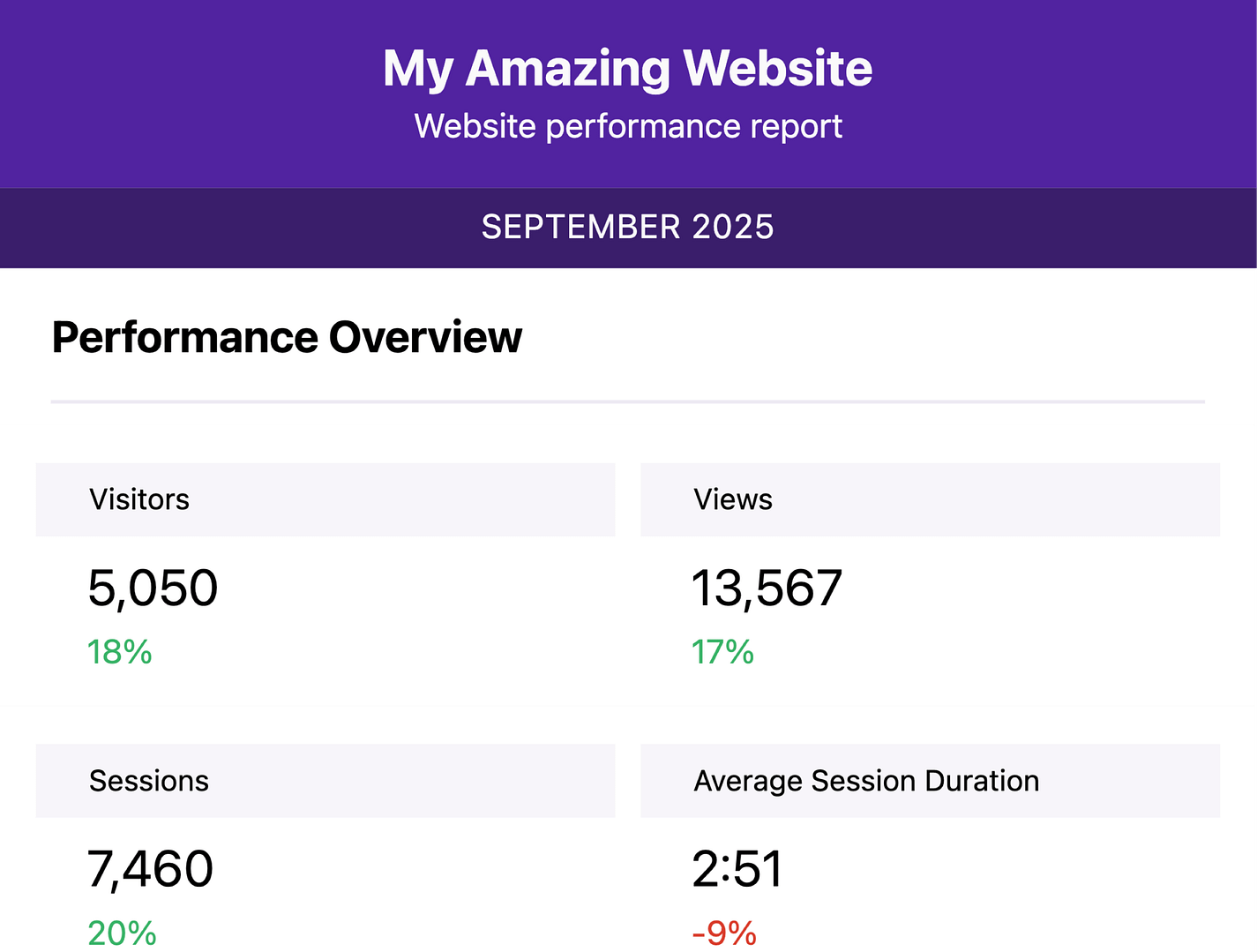 Schedule automated email reports for yourself and your clients.
Learn more →
Schedule automated email reports for yourself and your clients.
Learn more →
Integrated With All Your Favorite WordPress Plugins



































We Know How Frustrating Analytics Can Be
That's why we built a simple WordPress analytics plugin with stats anyone can read and use to grow their website. No more complex metrics or messy menus (we use it too!).
View Pricing Rated 4.8 stars from over 140+ reviews
Trusted by over 100,000+ websites
Tested on WordPress 7.0
Fully Private for You and Your Visitors
When it comes to privacy, just say, "No!"
No communication with external servers
No use of cookies
No personal data
Your data is created and stored in your database without any communication with outside servers. No cookies are used and no personal data is ever saved, allowing you to comply with regional privacy laws like the GDPR and CCPA.
Here's What Our Customers are Saying
Loved by agencies and solopreneurs alike
“At Webdev.com, we utilize Independent Analytics for our websites, and we can't recommend it enough. This tool is incredibly useful and serves as an excellent alternative to Google Analytics, making it easier for our customers to access the insights they need. Highly recommended. A++”

“I have a website and blog for my freelance editing business, and Independent Analytics is so much better for what I need than Google Analytics. It's easier and faster to find the data I want to see, and the aesthetics are miles better.”

Get Started
Follow these three easy steps
1
Download the plugin
Click the button below to download the plugin.
2
Install on your site(s)
Independent Analytics can be installed in seconds like any other WordPress plugin.
3
Watch your new data stream in
Independent Analytics starts tracking visitors the moment it's installed. No configuration required.
Frequently Asked Questions
-
Toggle FAQ
Is Independent Analytics made for WordPress only?
Yes, Independent Analytics is a WordPress plugin, so it can only be used on WordPress websites. The advantage of this is that it can automatically add the tracking script to your site and do cool things like integrate with your form and eCommerce plugins with zero configuration on your part.
-
Toggle FAQ
Do I need to add a tracking script?
Nope, as a WordPress plugin, Independent Analytics already has access to your site, so it outputs the tracking code for you automatically. All you need to do is clear your cache once after installing it (if you use a caching plugin) so that the tracking script can appear on all pages for all visitors.
-
Toggle FAQ
Do I need to use a cookie consent popup?
No, Independent Analytics does not use cookies or store personal data, so it is not required to show a cookie consent form. It is important to make sure that no other plugins or scripts on your site require consent before removing your cookie banner.
-
Toggle FAQ
Can I import data from Google Analytics?
No, it is not possible to import data from Google Analytics into Independent Analytics at this time. If you’re currently using GA, you can run IA alongside it for a few weeks or months to ease the transition.
-
Toggle FAQ
Can I use this alongside Google Analytics?
Yes, you can use both Independent Analytics and Google Analytics at the same time if you’d like. This will not cause any errors or conflicts on your site.
-
Toggle FAQ
Will it slow my site down?
No, Independent Analytics makes a single asynchronous REST API request to your own website, so it will cause no perceivable impact on how quickly your site loads. You can still achieve a 100/100 PageSpeed Insights score.
-
Toggle FAQ
Will my database get bloated?
Independent Analytics stores about 200-300MB of data per million sessions. For most websites, this means a very reasonable volume of data will be stored over the years. There is also an option to automatically purge old data, so you can limit storage to 1-3 years.
-
Toggle FAQ
Does it work well on large websites?
The number of pages a site has will not impact how quickly the analytics load on the front-end or the back-end. It will load as quickly for a site with twenty thousand pages as for a site with five pages.
With that said, sites that receive a high number of visitors can experience a slower analytics dashboard in the WP admin. This is mainly an issue for websites that get one million or more visitors per month. Read more here.
-
Toggle FAQ
What are cookieless analytics?
Independent Analytics uses cookieless tracking, which allows it to record your visitors without using any cookies. It uses a fingerprinting technique to recognize repeat visitors by generating a unique ID.
-
Toggle FAQ
Does it work with multisite?
Yes, Independent Analytics is fully compatible with multisite installs. Each sub-site can activate IA independently and will get its own analytics dashboard.
-
Toggle FAQ
Are there any usage limitations for the free plugin?
Nope, you can install Independent Analytics on as many sites as you want and use it for as long as you’d like. There is no limit to the number of visitors you can track or the length of time you can retain your data.
-
Toggle FAQ
Will I lose data if I upgrade to the Pro version later?
No, you will not lose any data. When you upgrade, you will retain all of your existing data, and there will not be any downtime in tracking when switching to the Pro plugin.
Still have questions?
If you have any questions, you can click here to get instant answers from our AI Assistant, or email us directly via support@independentwp.com to reach a real person.
Trusted by over 100,000+ websites
Download the Independent Analytics plugin today
